
How to Subscribe to a Plan in LobeHub
This feature is available only in LobeHub Cloud
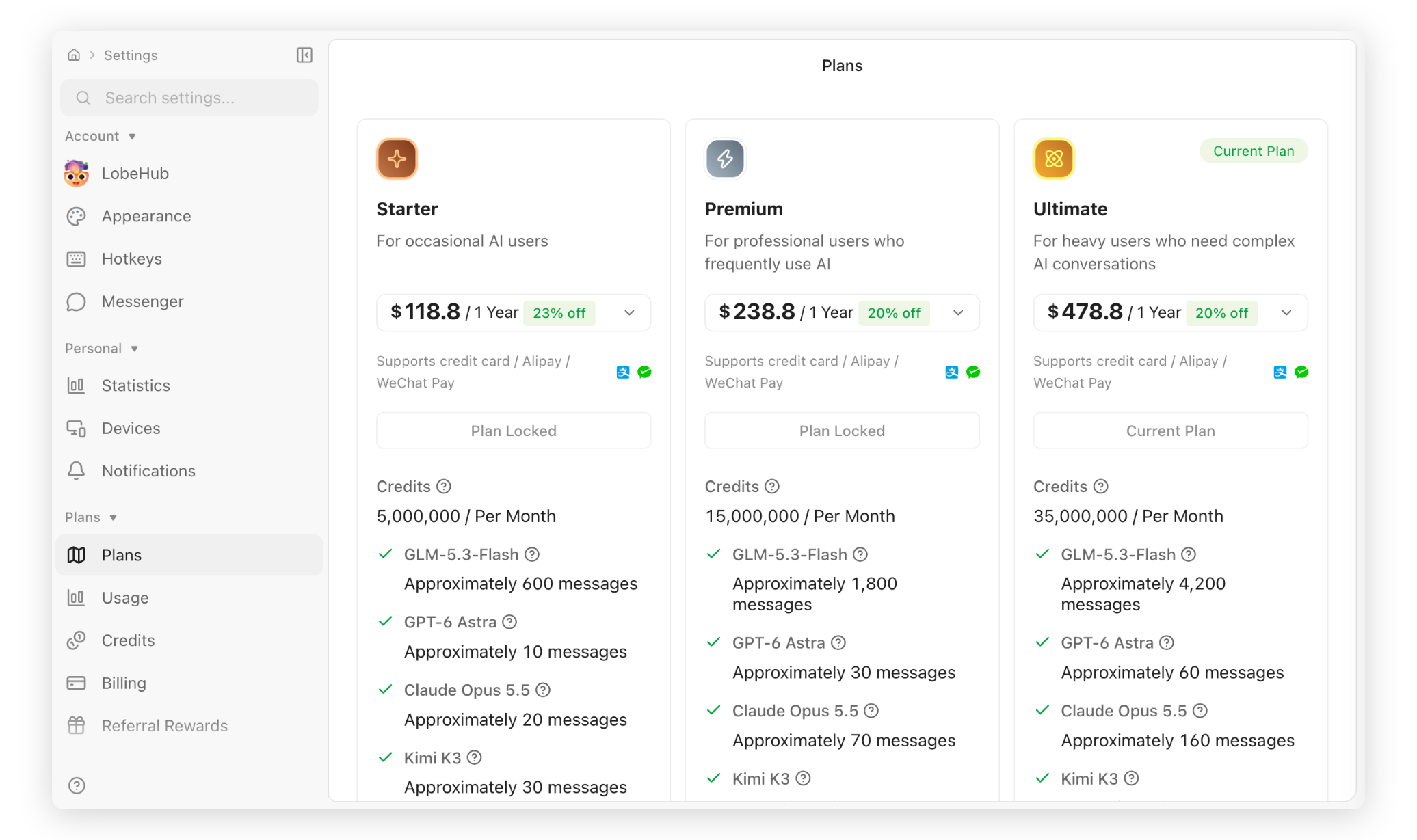
Open Plans to see the personal subscriptions currently available to your account, their prices, and billing cycles.
- Plus, Pro, and Max use 5-hour and weekly usage windows rather than a monthly credit grant. Pro and Max also include Ultra models with a separate monthly limit.
- Starter, Premium, and Ultimate are legacy credit-based plans. Existing subscriptions keep their monthly credit allowance; availability for new subscriptions depends on the current rollout.
Compare usage allowances, model access, file storage, and vector storage before subscribing. The app shows the current benefits and reset times; annual billing does not turn usage windows into an annual allowance.
Open App Settings
On the LobeHub home page, click your profile avatar in the top-left corner, then click App Settings.
Open the Plans Page
In the App Settings sidebar, find the Plans section and click Plans.
Choose a Plan and Billing Cycle
Compare the usage allowances, model access, file and knowledge base storage, and other benefits included with each plan. Then choose monthly or annual billing.
Complete Your Subscription
Click the subscribe or upgrade button for your preferred plan, then follow the page instructions to complete payment. After payment succeeds, the new plan appears as your current plan.