
Using Cloudflare Workers AI in LobeHub

Cloudflare Workers AI is a service that integrates AI capabilities into the Cloudflare Workers serverless computing platform. Its core advantage lies in delivering fast and scalable compute power through Cloudflare’s global network, significantly reducing operational overhead.
This guide will walk you through how to use Cloudflare Workers AI in LobeHub:
Step 1: Obtain a Cloudflare Workers AI API Key
- Visit the Cloudflare website and sign up for an account.
- Log in to the Cloudflare Dashboard.
- In the left-hand menu, navigate to
AI>Workers AI.
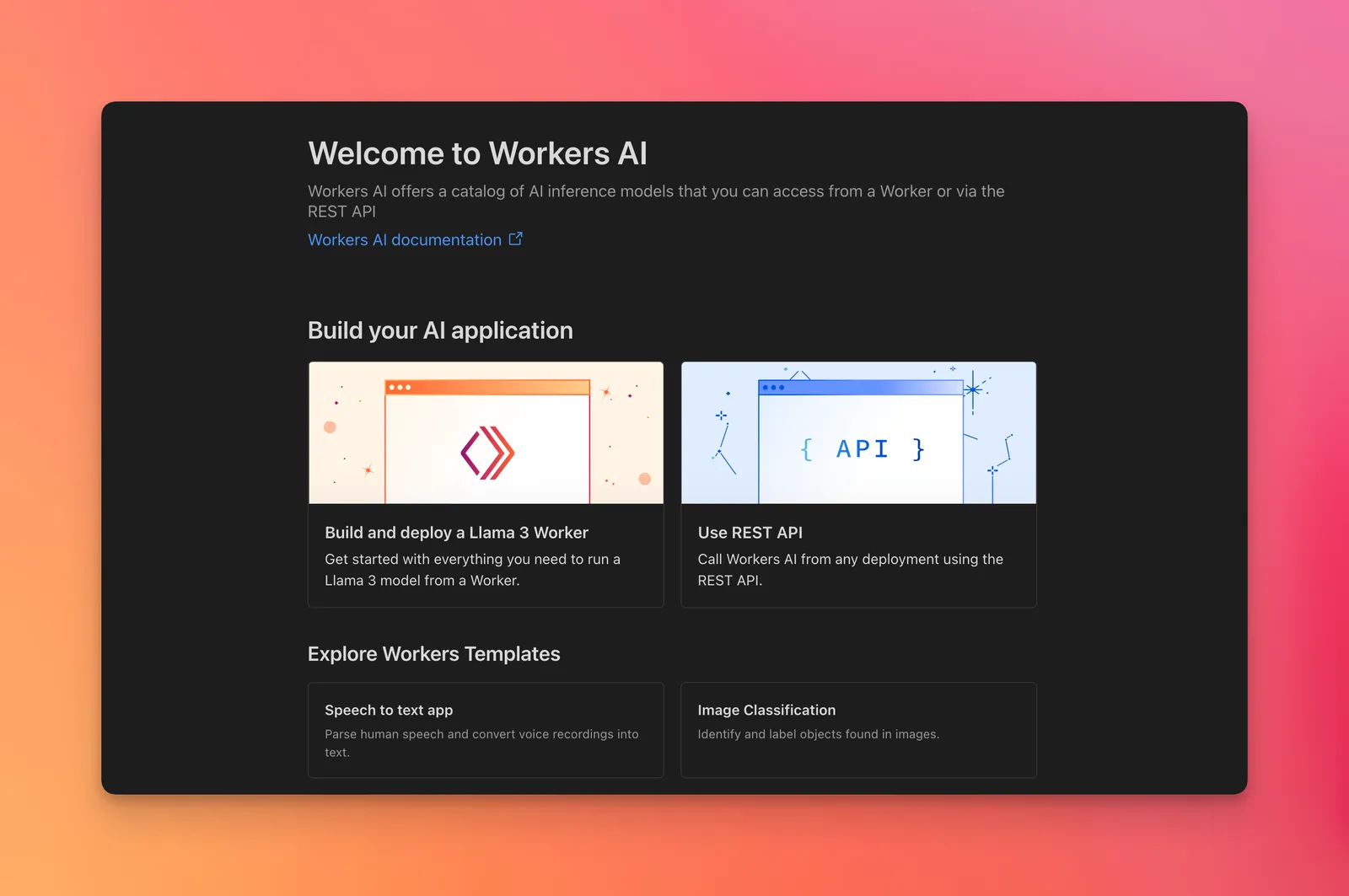
- Under the "Use REST API" section, click the
Create Workers AI API Tokenbutton. - In the sidebar that appears, copy and save your
API Token. - Also copy and save your
Account ID.
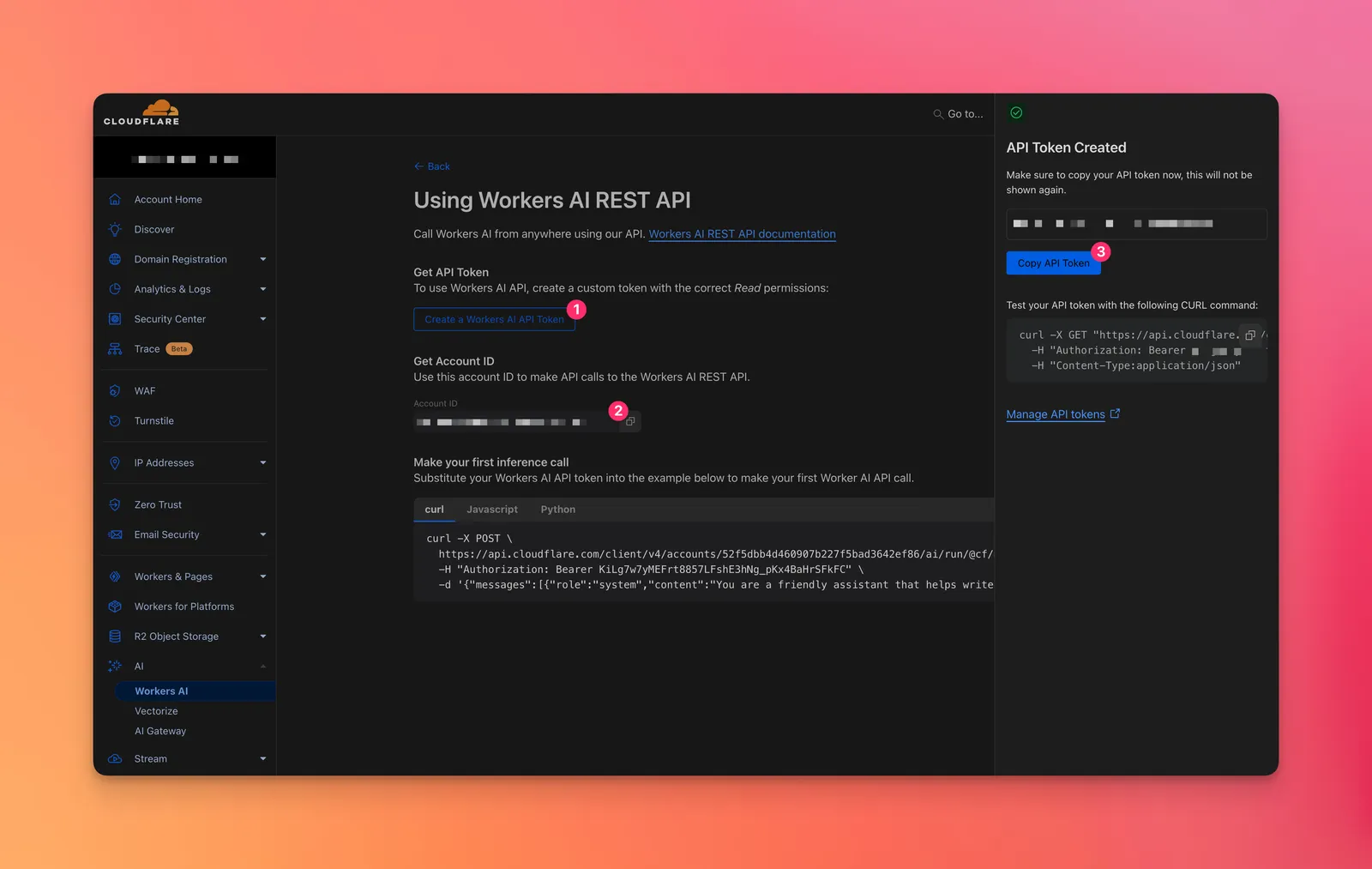
- Be sure to store your API token securely, as it will only be shown once. If you lose it, you’ll need to generate a new one.
Step 2: Configure Cloudflare Workers AI in LobeHub
- Open App Settings → AI Providers, select Cloudflare Workers AI, and enable the provider.
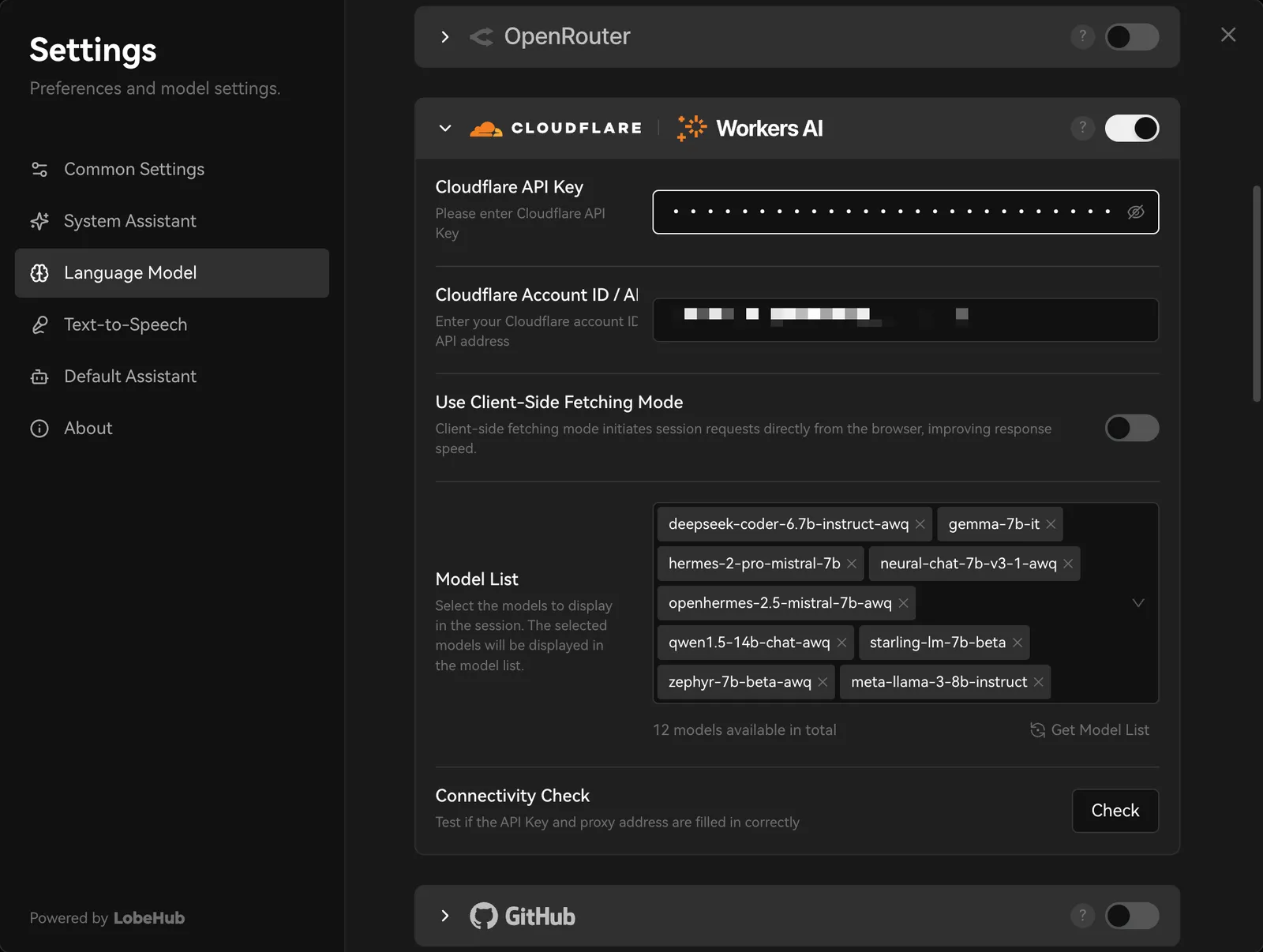
- Enter the API token. In Base URL or Account ID, enter the account ID or full endpoint.
- Select Check to test the connection, then enable the models you need.
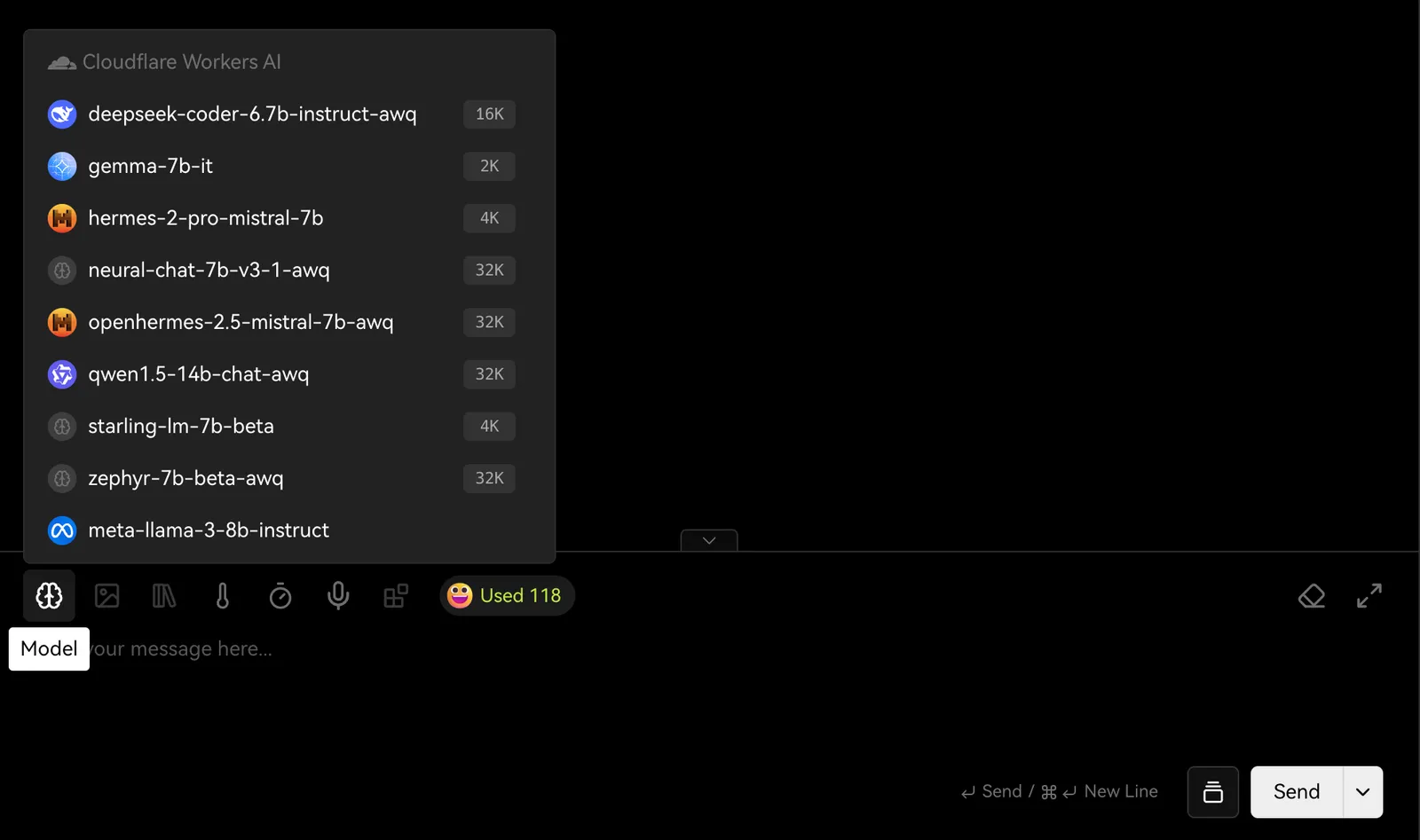
You may incur charges from the API provider during usage. Please refer to Cloudflare’s pricing policy for details.
You’re all set! You can now start using Cloudflare Workers AI models for conversations in LobeHub.