
Using SiliconCloud in LobeHub
SiliconCloud is an AI service platform based on open-source foundational models, offering a variety of generative AI (GenAI) services.
This guide will walk you through how to use SiliconCloud within LobeHub.
To configure this provider in LobeHub, open App Settings → AI Providers, select the provider, and turn on its switch.
Step 1: Obtain an API Key from SiliconCloud
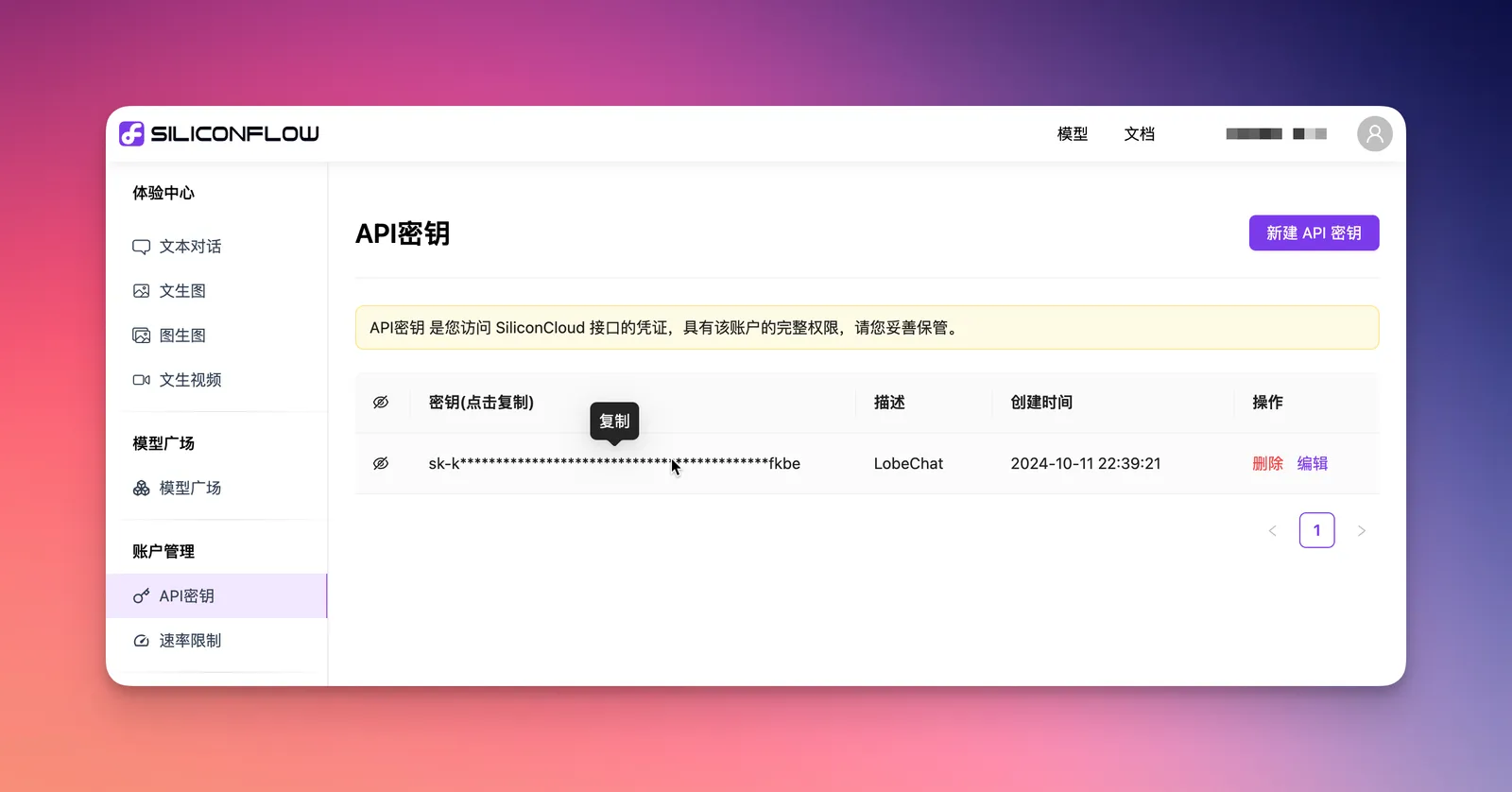
- Register and log in to SiliconCloud
- Click on the
API Keymenu on the left sidebar - Create a new API key and copy it
Step 2: Configure SiliconCloud in LobeHub
- Go to the
Settingspage in LobeHub - In the provider list, select the configuration section for
SiliconFlow
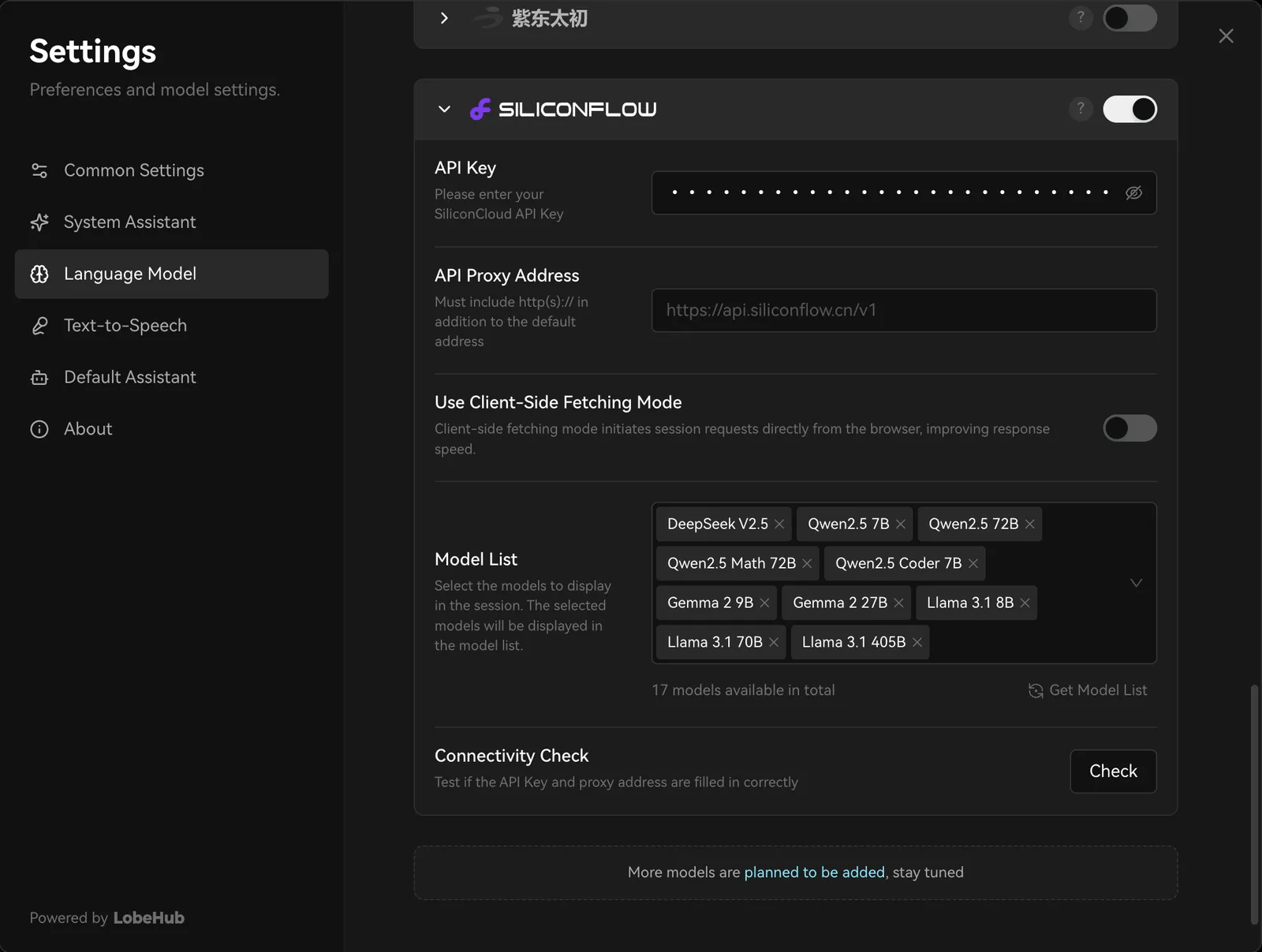
- Paste the API key you obtained
- Choose a model from SiliconCloud for your AI assistant to start chatting

You may need to pay the API service provider during usage. Please refer to SiliconCloud’s pricing policy for details.
That's it! You're now ready to use SiliconCloud's models for conversations in LobeHub.