
Using GitHub Models in LobeHub

GitHub Models is a new feature recently launched by GitHub, designed to provide developers with a free platform to access and experiment with various AI models. GitHub Models includes an interactive playground for testing model parameters and prompts. Available models change with the GitHub Models catalog. Check the model list in LobeHub for current options.
This guide will walk you through how to use GitHub Models within LobeHub.
GitHub Models Rate Limits
Currently, usage of the Playground and free API is subject to limits on requests per minute, daily requests, tokens per request, and concurrent requests. If you hit a rate limit, you’ll need to wait for it to reset before making additional requests. Rate limits vary depending on the model type (low, high, or embedding models). For details on model types, refer to the GitHub Marketplace.
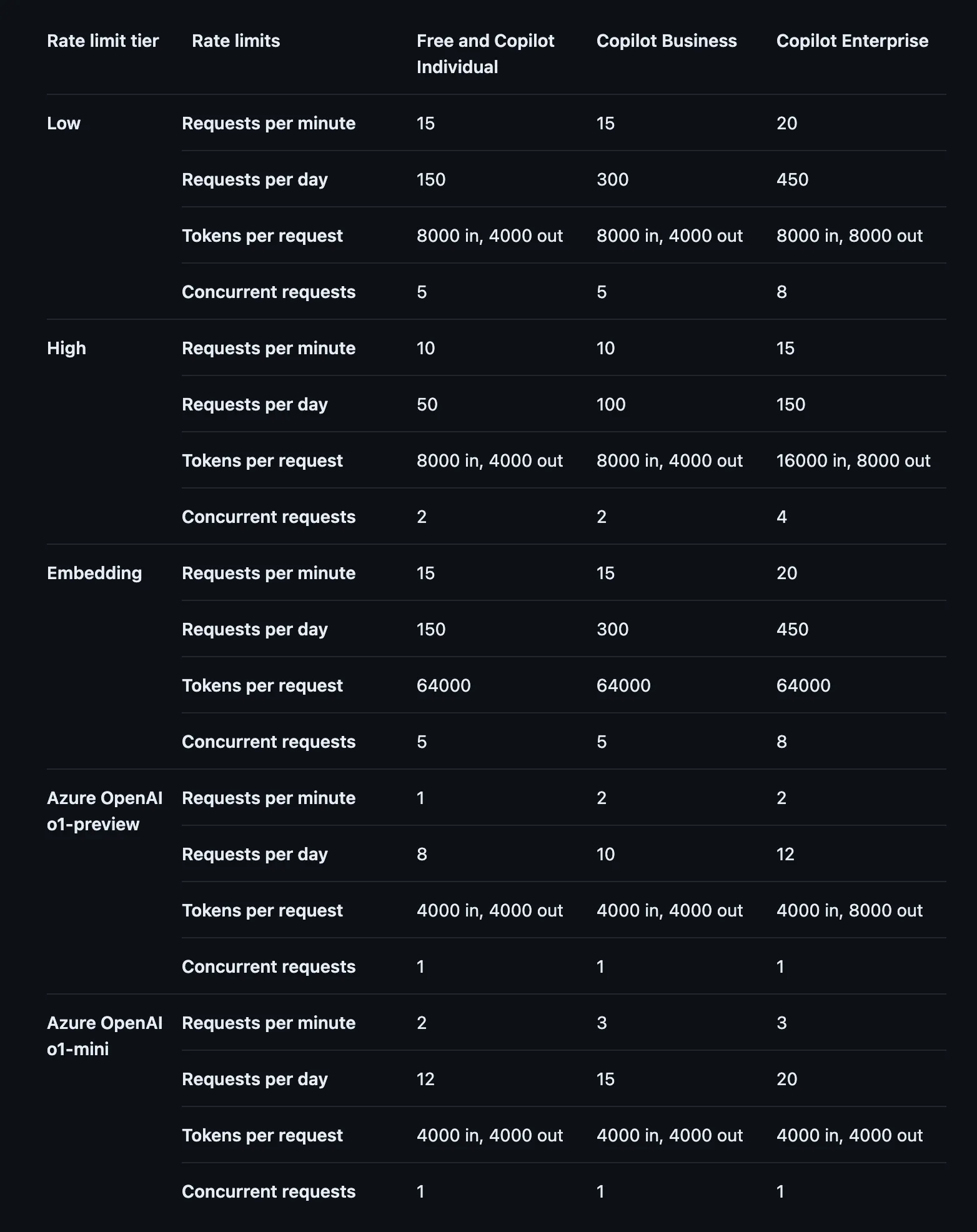
These limits are subject to change. For the most up-to-date information, please refer to the official GitHub documentation.
GitHub Models Configuration Guide
Step 1: Obtain a GitHub Access Token
- Log in to GitHub and navigate to the Personal Access Tokens page.
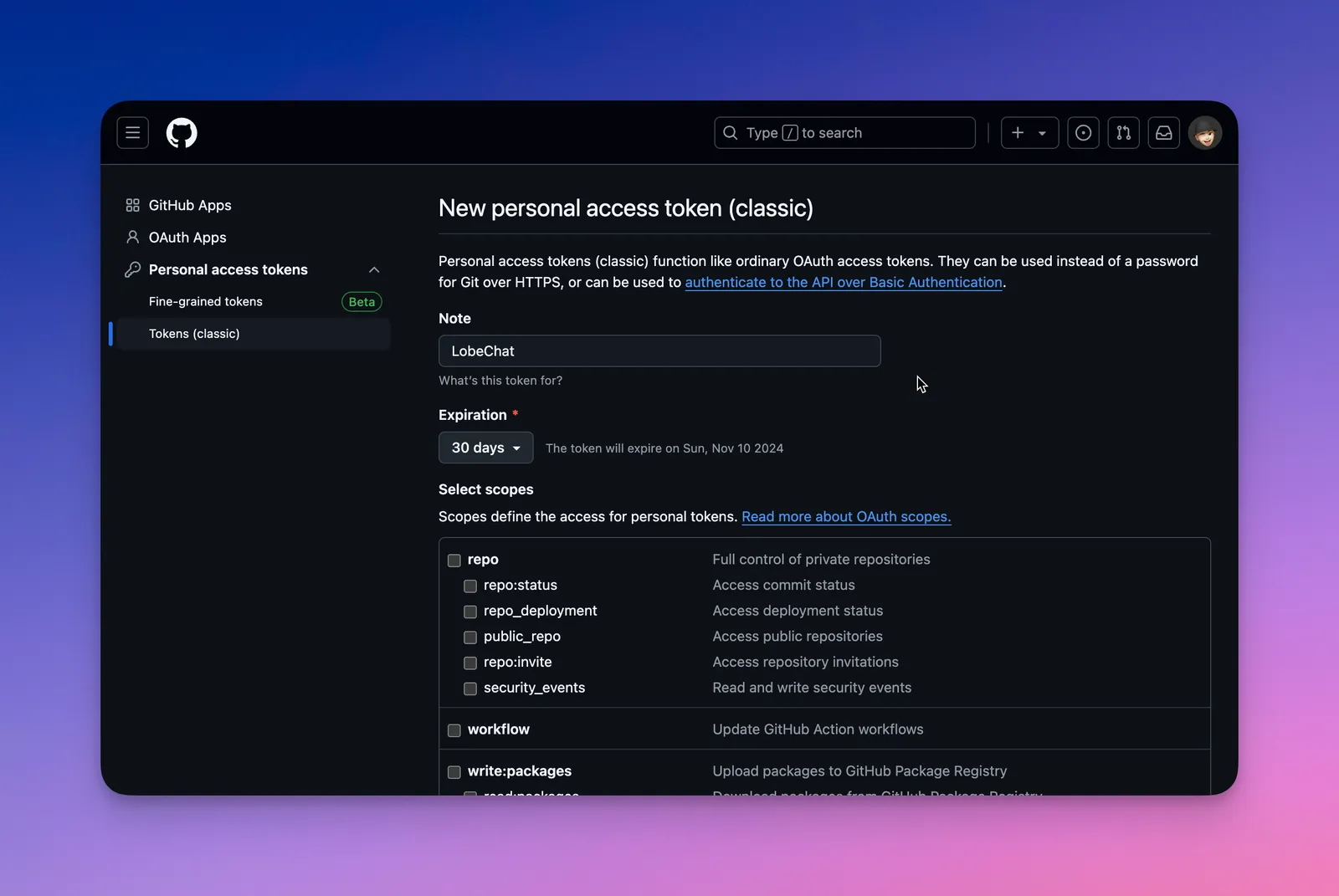
- Create and configure a new access token.
- Copy and securely save the generated token from the result page.
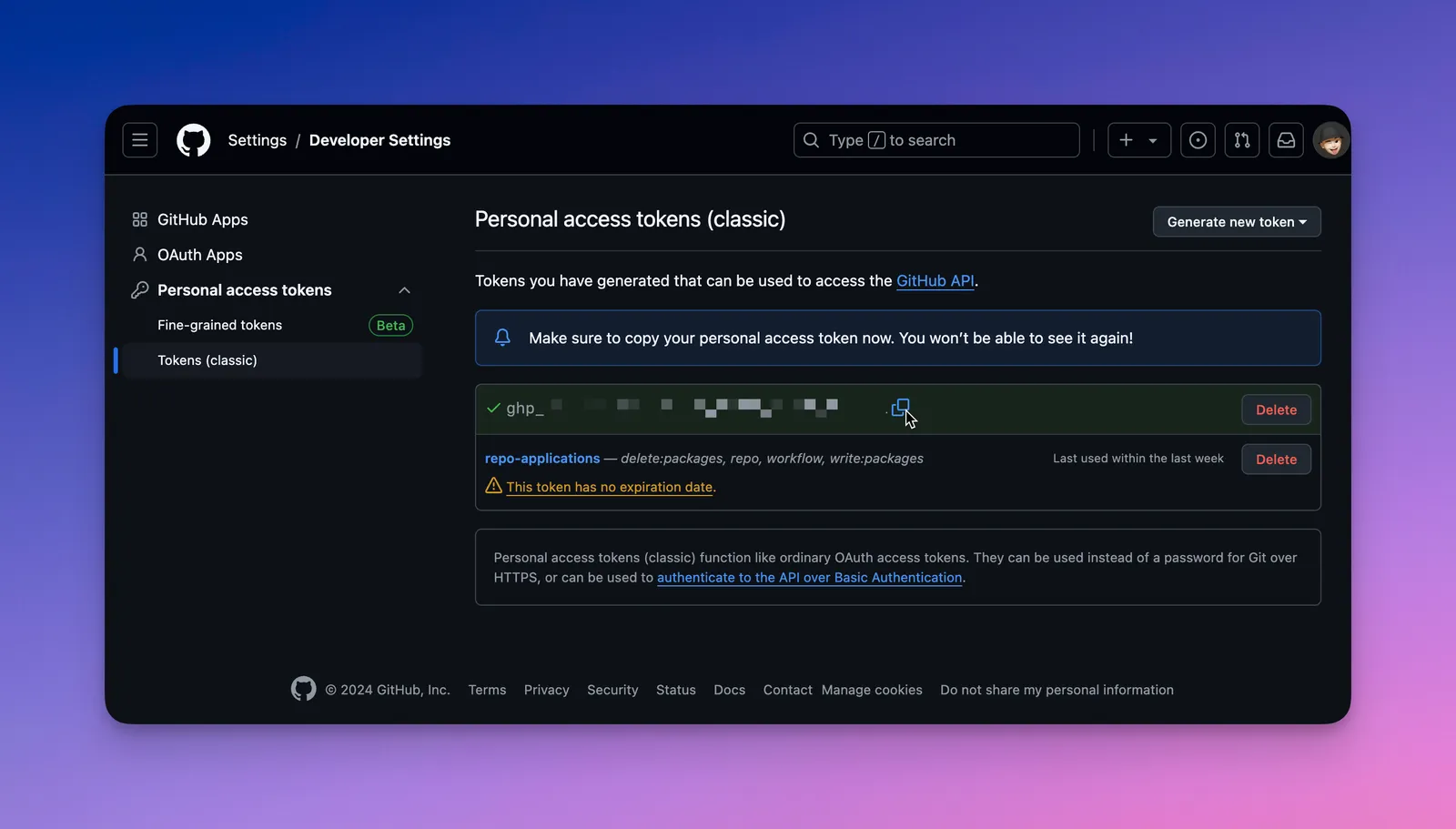
Be sure to store your access token securely, as it will only be shown once. If you lose it, you’ll need to generate a new one.
Step 2: Configure GitHub Models in LobeHub
- Open App Settings → AI Providers, select GitHub Models, and enable the provider.
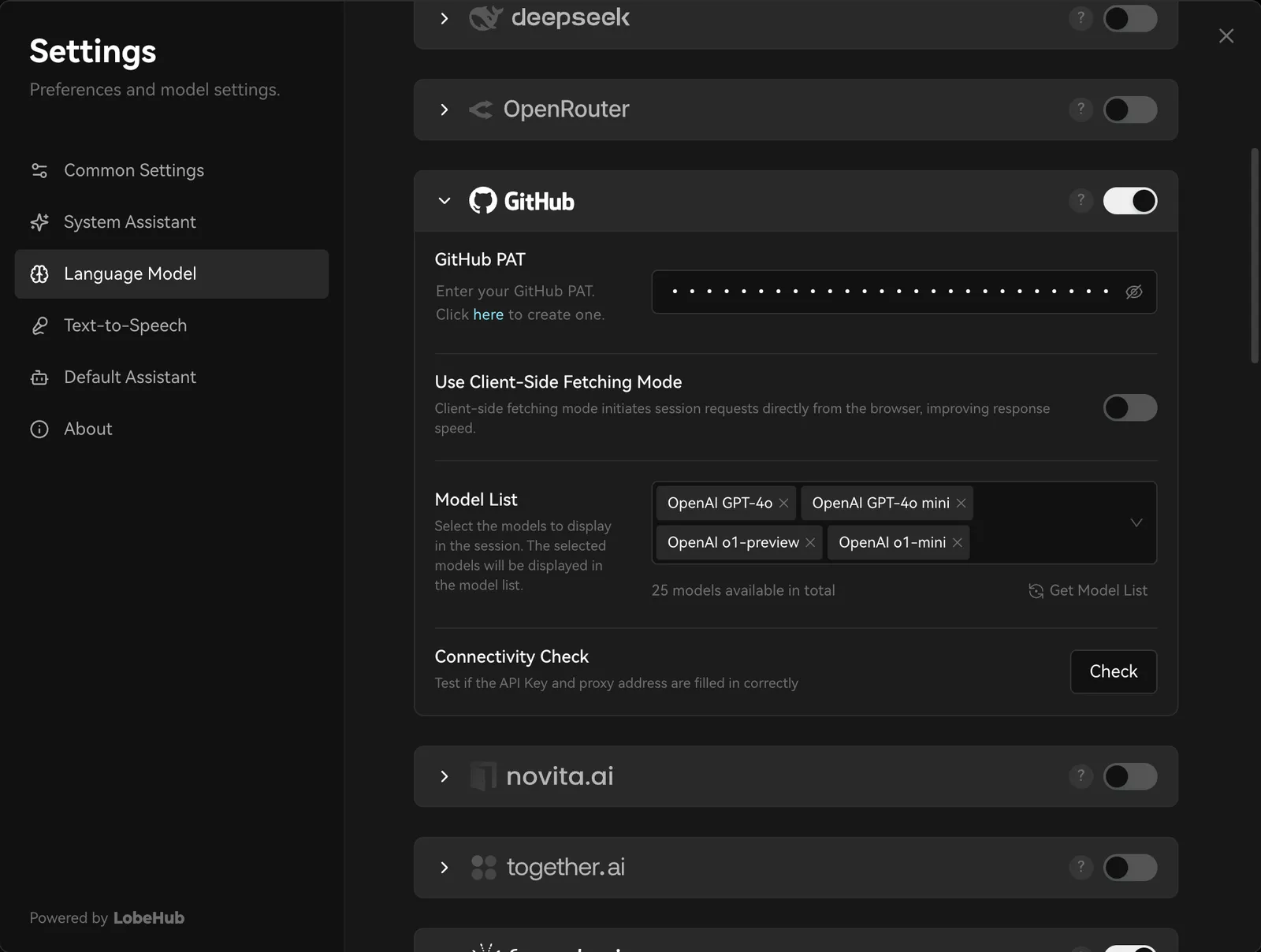
- Enter the personal access token, then select Check to test the connection.
- Enable the GitHub Models you need, then select one in the Agent settings.
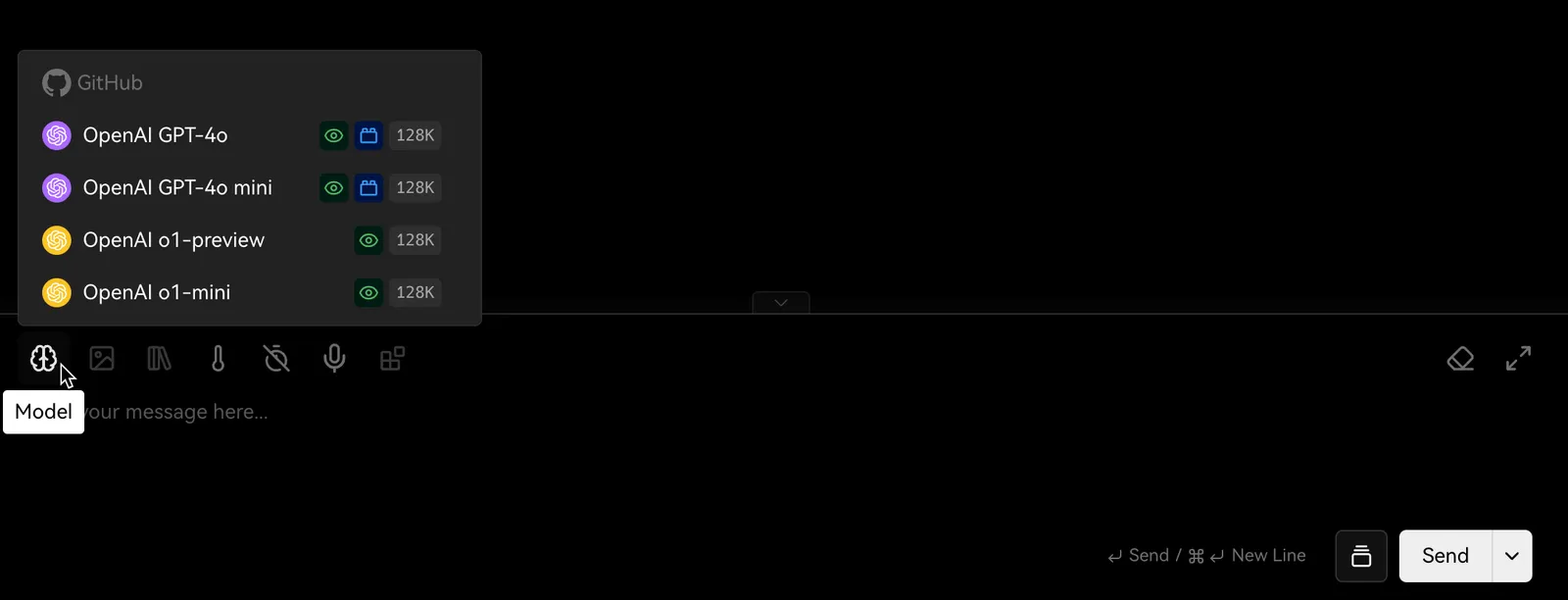
And that’s it! You’re now ready to start using GitHub-provided models in LobeHub for conversations and interactions.