
Using Zhipu ChatGLM in LobeHub
Zhipu AI is a high-tech company founded in 2019, originating from the Department of Computer Science at Tsinghua University. It focuses on natural language processing, machine learning, and big data analytics, aiming to push the boundaries of AI technology in the field of cognitive intelligence.
This guide will walk you through how to use Zhipu AI in LobeHub:
To configure this provider in LobeHub, open App Settings → AI Providers, select the provider, and turn on its switch.
Step 1: Get Your Zhipu AI API Key
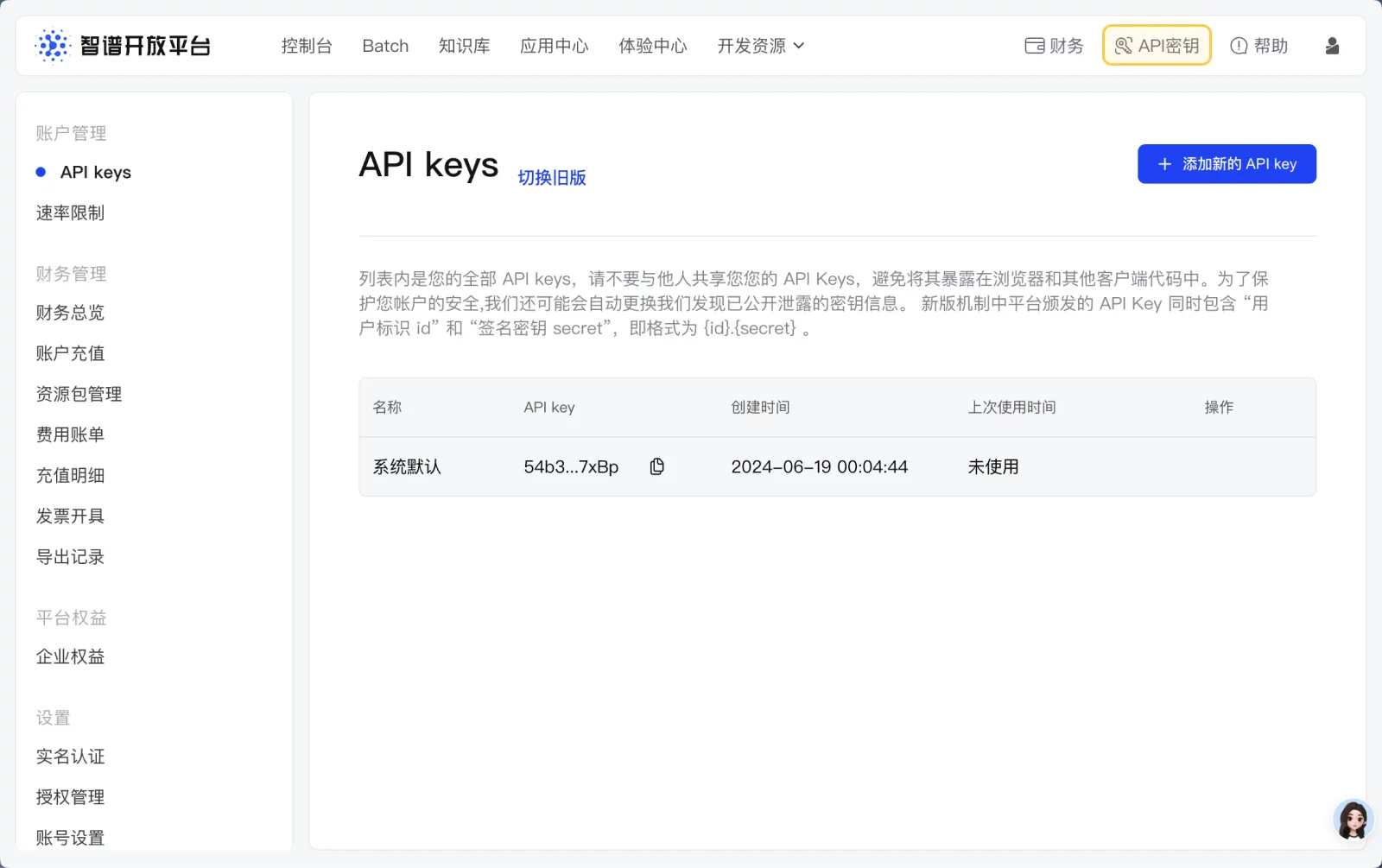
- Visit and log in to the Zhipu AI Open Platform
- Upon your first login, the system will automatically generate an API key for you and grant a free 25M token package
- Navigate to the top menu and click on
API Keyto view your key
Step 2: Configure Zhipu AI in LobeHub
- Go to the
Settingspage in LobeHub - In the provider list, select the configuration section for
Zhipu AI
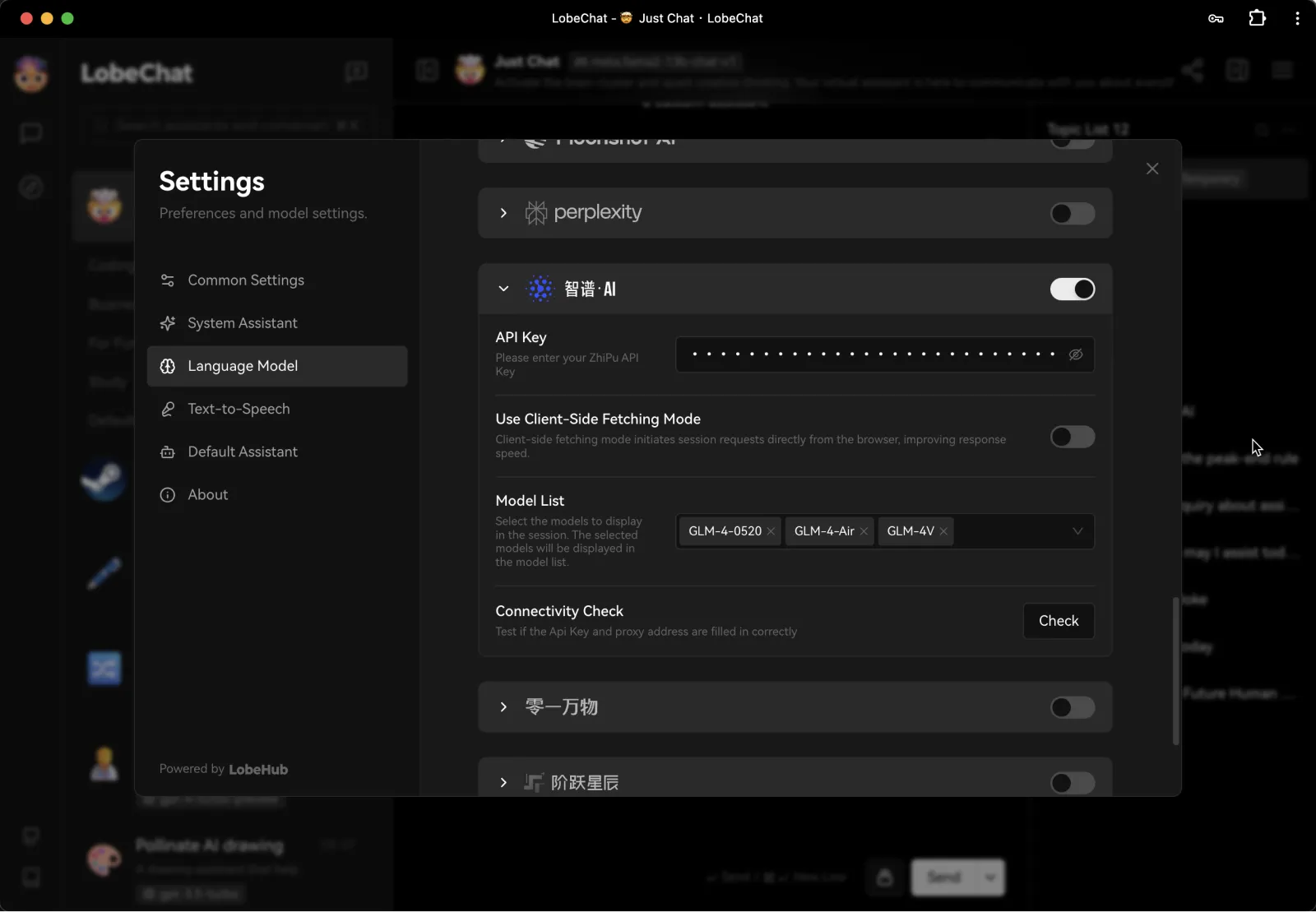
- Enable Zhipu AI and paste in your API key
- Choose a Zhipu AI model for your assistant to start chatting
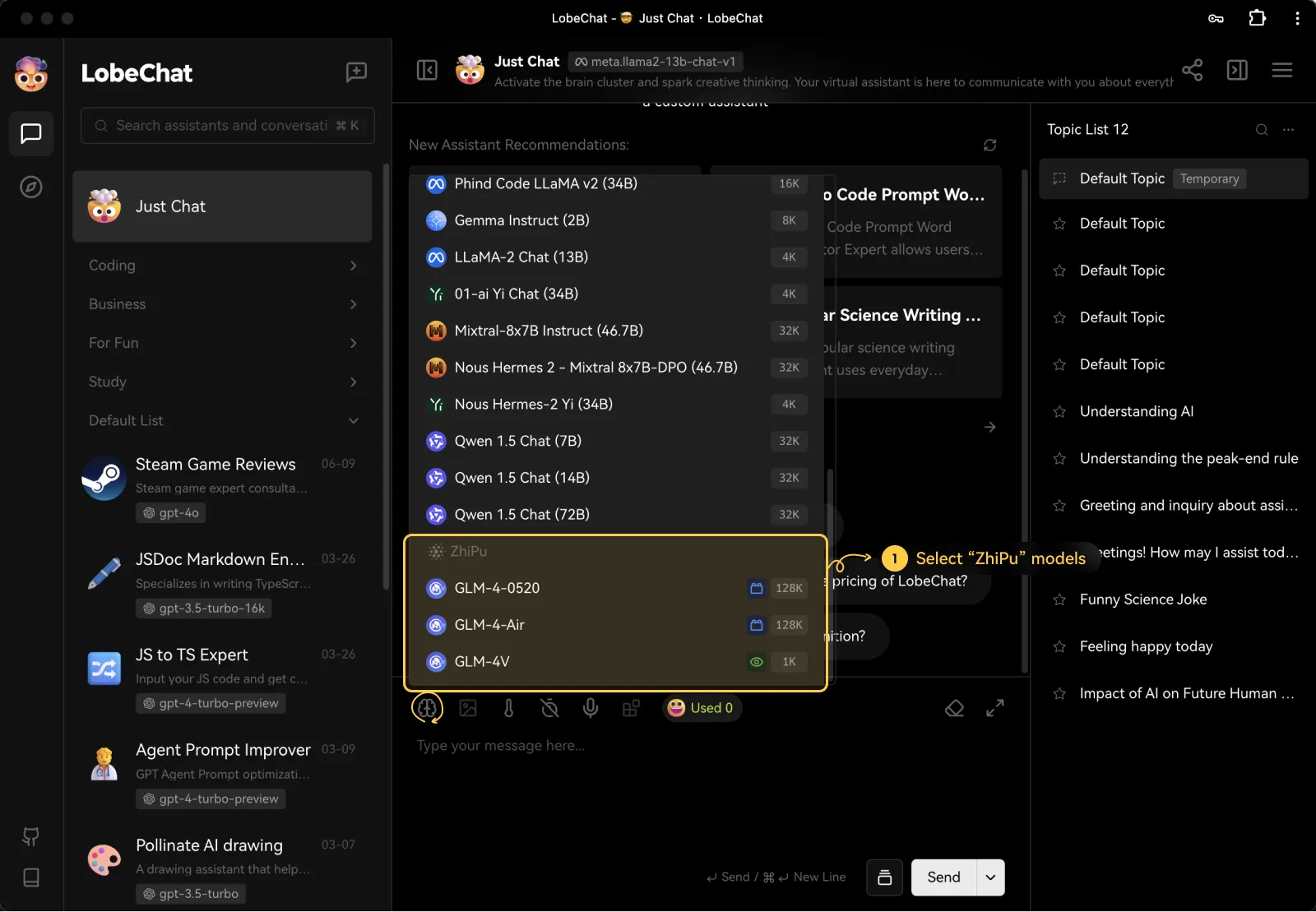
You may need to pay for API usage depending on your usage. Please refer to Zhipu AI’s pricing policy for more details.
And that’s it! You’re now ready to start chatting with models provided by Zhipu AI in LobeHub.