
Using iFLYTEK Spark in LobeHub
iFLYTEK Spark is a powerful AI large language model developed by iFLYTEK. It features cross-domain knowledge and language understanding capabilities, and can perform a variety of tasks such as Q&A, conversation, and creative writing.
This guide will walk you through how to use iFLYTEK Spark in LobeHub.
To configure this provider in LobeHub, open App Settings → AI Providers, select the provider, and turn on its switch.
Step 1: Obtain an API Key for iFLYTEK Spark
- Register and log in to the iFLYTEK Open Platform
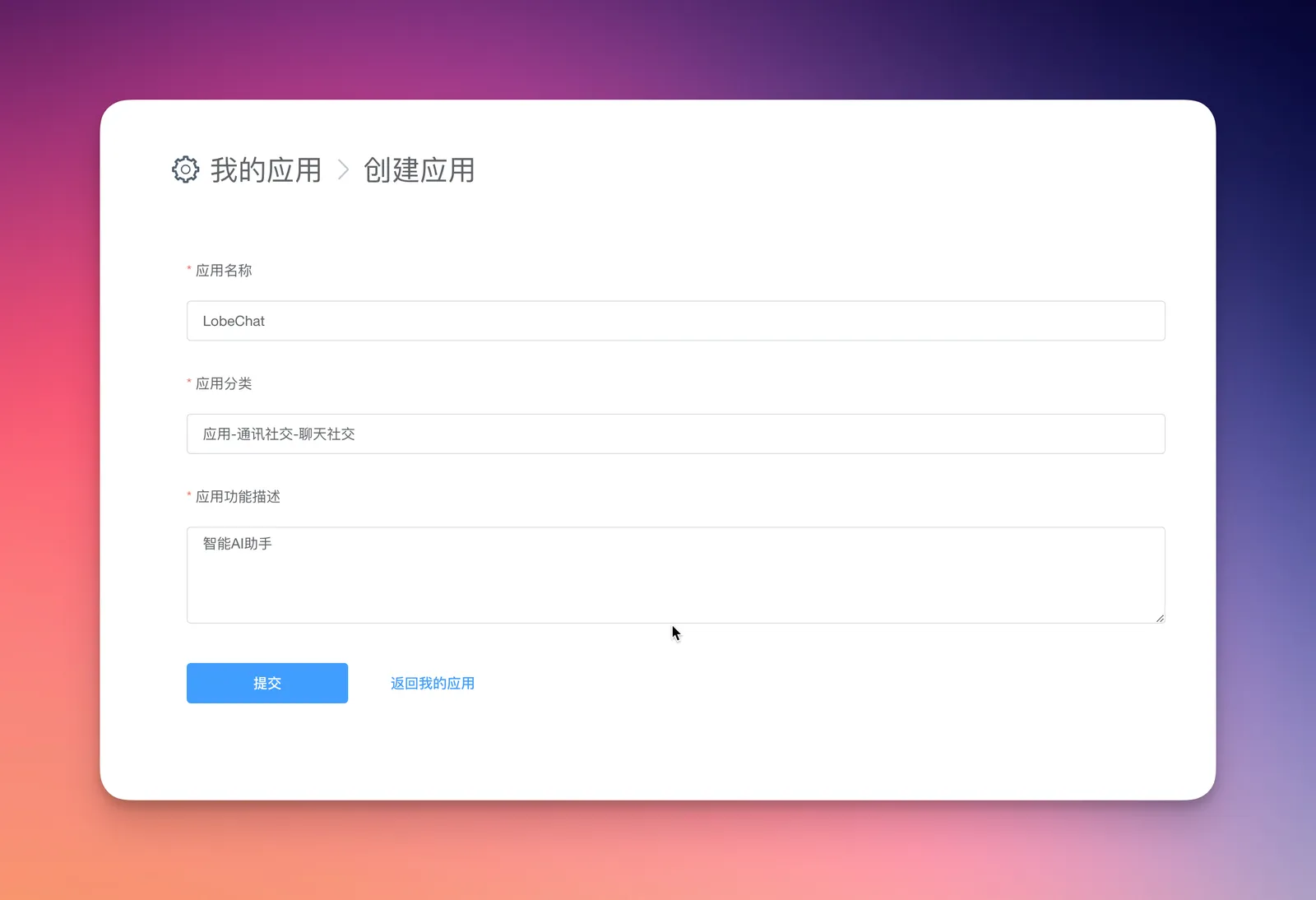
- Create a new application
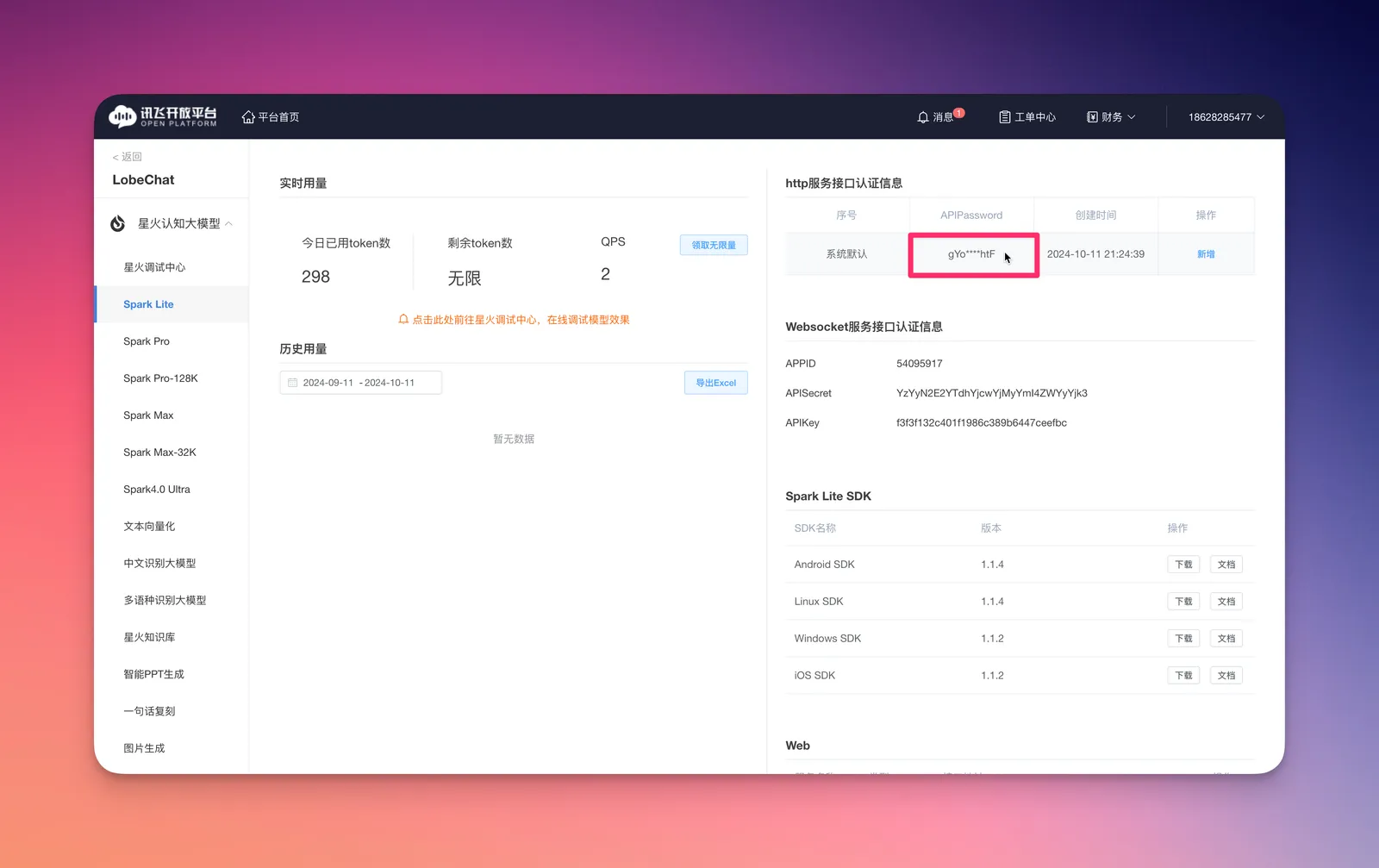
- Select a large model and view its details
- Copy the
API Passwordfrom the top-right corner under the HTTP service authentication section
Step 2: Configure iFLYTEK Spark in LobeHub
- Go to the
Settingspage in LobeHub - In the provider list, select the configuration section for
iFLYTEK Spark
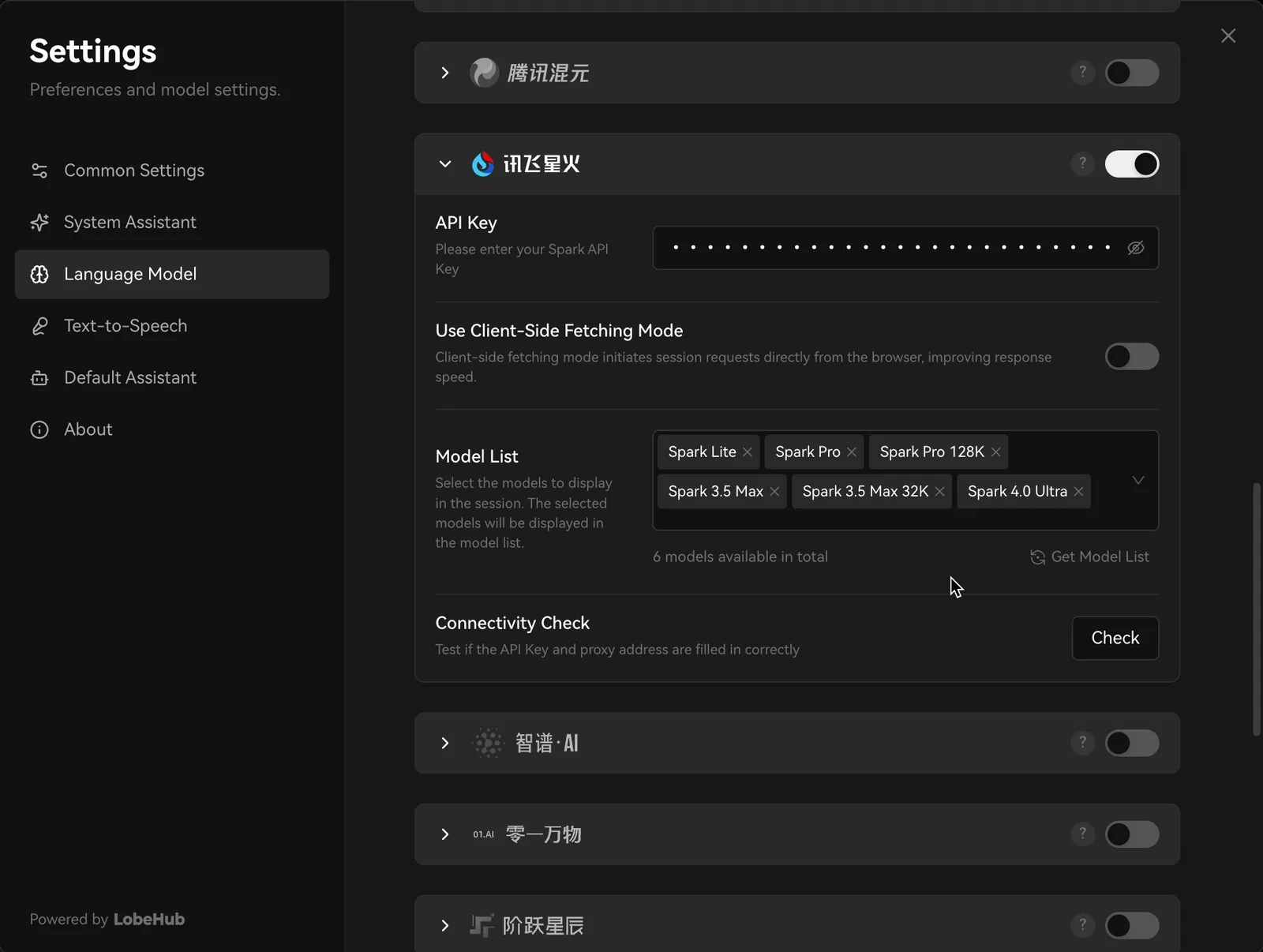
- Paste the API Key you obtained
- Choose an iFLYTEK Spark model for your AI assistant to start chatting
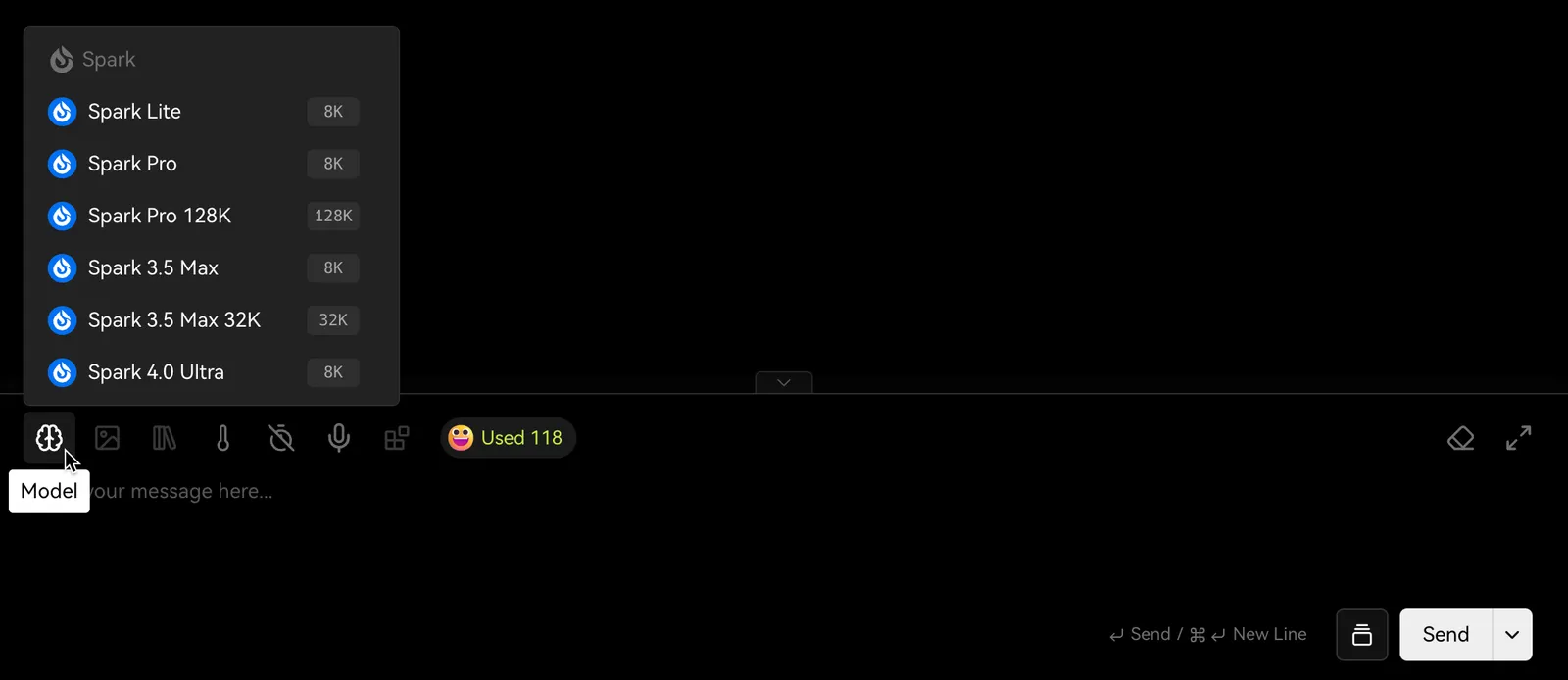
You may need to pay for API usage depending on your usage level. Please refer to iFLYTEK Spark's pricing policy for more details.
That's it! You're now ready to use iFLYTEK Spark's models for conversations in LobeHub.