
Using OpenAI in LobeHub
This guide will walk you through how to use OpenAI in LobeHub:
Step 1: Get Your OpenAI API Key
-
Sign up for an OpenAI account. You’ll need an international phone number and a non-mainland China email address.
-
After signing up, go to the API Keys page and click
Create new secret keyto generate a new API key: -
Open the key creation window

- Create your API key

- Copy and save your API key

New accounts typically receive $5 in free credits, valid for three months.
Step 2: Configure OpenAI in LobeHub
- Open App Settings → AI Providers, select OpenAI, and enable the provider
- Enter the API key. If you use a proxy or compatible endpoint, enter its proxy URL
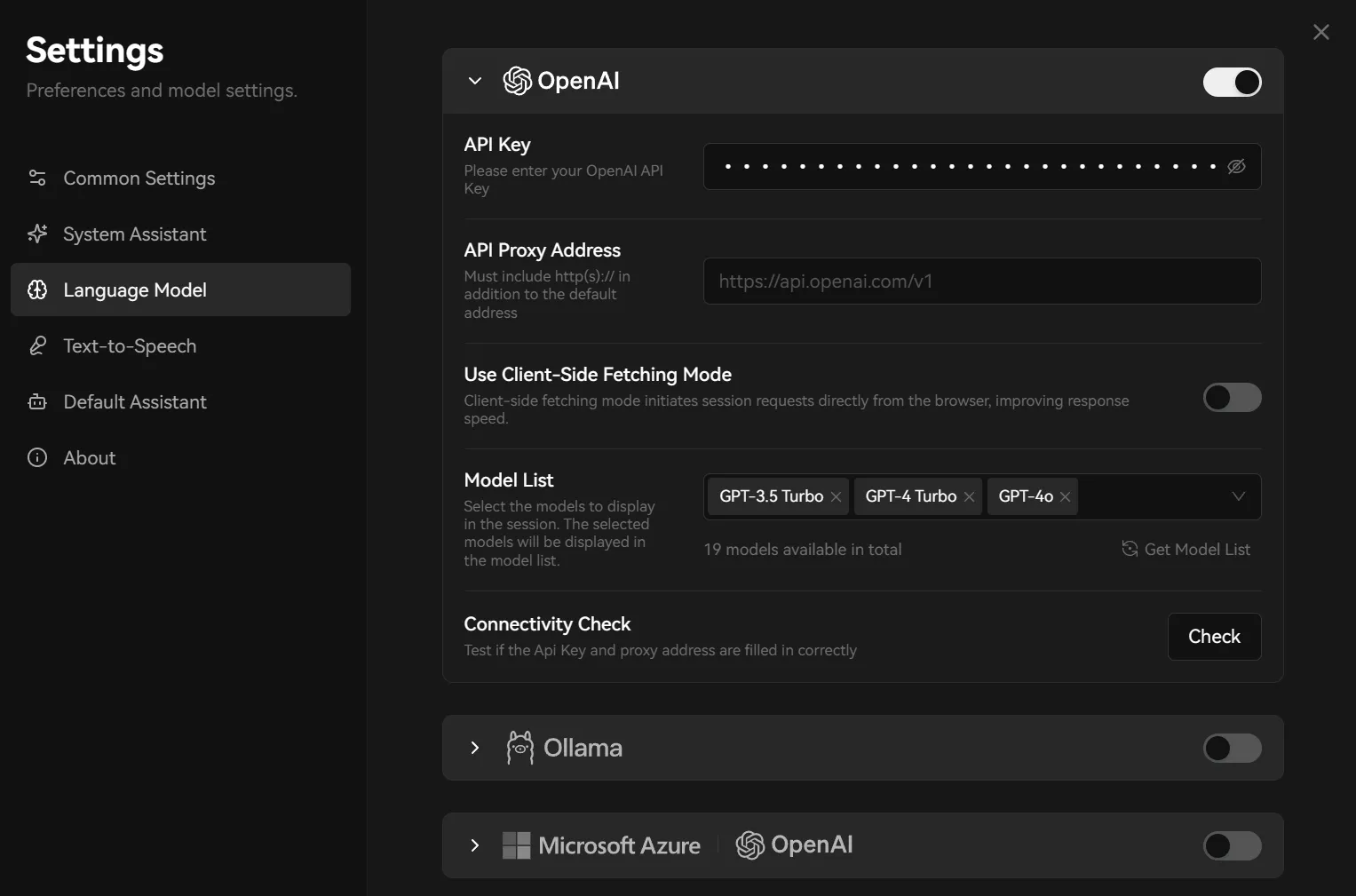
- Select Check to test the connection
- Enable the OpenAI models you need, then select one in the Agent settings
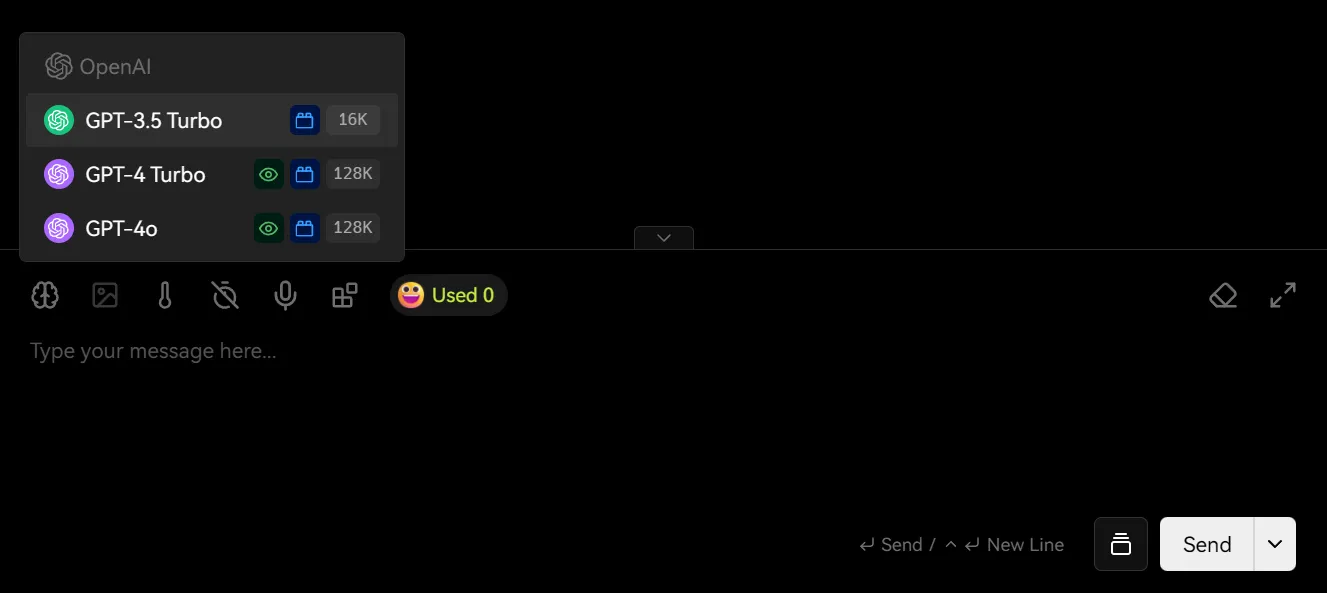
You may incur charges while using the API. Please refer to OpenAI’s pricing policy for details.
That’s it! You’re now ready to use OpenAI models in LobeHub for conversations.