
Configuring Authentik Authentication Service
NextAuth (Auth.js) has been fully removed from LobeHub. The NEXT_AUTH_SSO_PROVIDERS and AUTH_URL variables shown below will now cause the deployment to fail at build/startup. This page is kept for historical reference only — use the Better Auth provider guides and the NextAuth to Better Auth migration guide instead.
Authentik Configuration Flow
Create an Authentik Application Provider
In your Authentik instance, use the administrator account to go to Admin Interface -> Applications -> Providers and create a new provider.
Select OAuth2/OpenID Provider as the provider type. Fill in the provider name, select the authentication flow and authorization flow.
In the Redirect URL/Origin (regex) field, fill in:

- You can fill in or modify the
Redirect URL/Origin (regex)later, but make sure the filled in URL matches the deployed URL. - Replaceyour-domainwith your own domain name
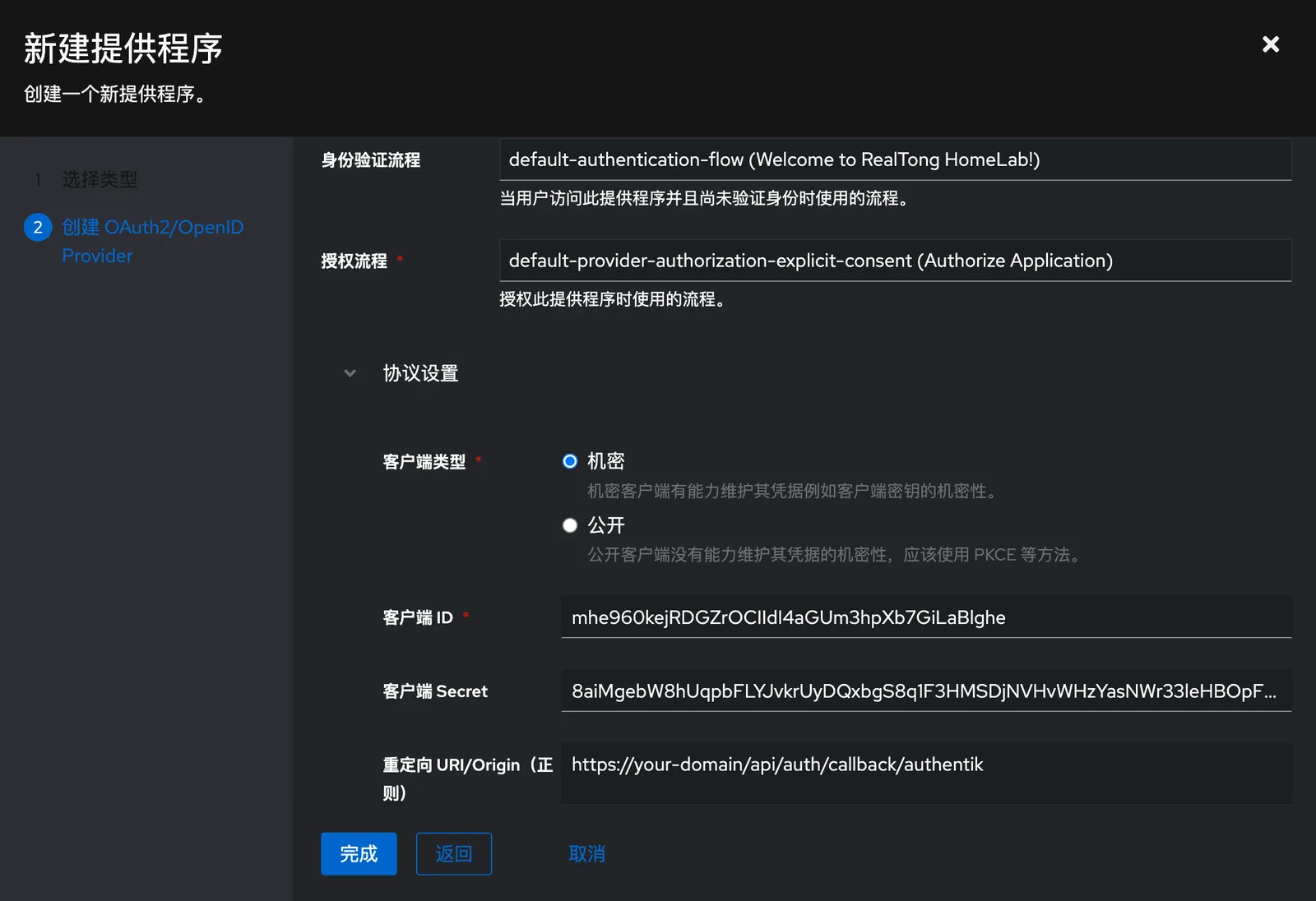
Click Done
After the creation is successful, click Applications on the left -> Create, fill in the name and Slug, select the provider created in the previous step, and click Create.
After the application provider is created, click the corresponding provider to enter the details page, click Edit, and save the Client ID and Client Secret.
Copy the URL of OpenID Configuration Issuer and save it.
Configure Environment Variables
When deploying LobeHub, you need to configure the following environment variables:
| Environment Variable | Type | Description |
|---|---|---|
AUTH_SECRET | Required | The secret used to encrypt Auth.js session tokens. You can generate a secret using the following command: openssl rand -base64 32 |
NEXT_AUTH_SSO_PROVIDERS | Required | Select the SSO provider for LoboChat. Use authentik for Authentik. |
AUTH_AUTHENTIK_ID | Required | The Client ID from the Authentik application provider details page |
AUTH_AUTHENTIK_SECRET | Required | The Client Secret from the Authentik application provider details page |
AUTH_AUTHENTIK_ISSUER | Required | The OpenID Configuration Issuer from the Authentik application provider details page |
AUTH_URL | Required | This URL is used to specify the callback address for Auth.js when performing OAuth authentication. It only needs to be set when the default generated redirect address is incorrect. https://example.com/api/auth |
Go to 📘 Environment Variables for details about the variables.
After a successful deployment, users will be able to use LobeHub by authenticating with the users configured in Authentik.