
Configure the RustFS Storage Service
We need to configure an S3-compatible storage service in the server-side database to store files.
Configuration Steps
Deploy RustFS
First, pull the RustFS Docker image:

You can inspect its version with the following command. We recommend version v1.0.0 or above:
We recommend using Docker Compose to deploy RustFS:

Then start RustFS:
docker compose up -dCreate a Bucket
Open the RustFS WebUI (http://localhost:9001/) and you will be redirected to the login screen. Enter the username (RUSTFS_ACCESS_KEY in the docker-compose.yml) and password (RUSTFS_SECRET_KEY in the same file) to sign in.
Click Object Storage in the left sidebar, then the Create Bucket button in the top-right corner to create a new bucket. This example uses the name lobe. Leave Versioning and Object Lock disabled (default settings).
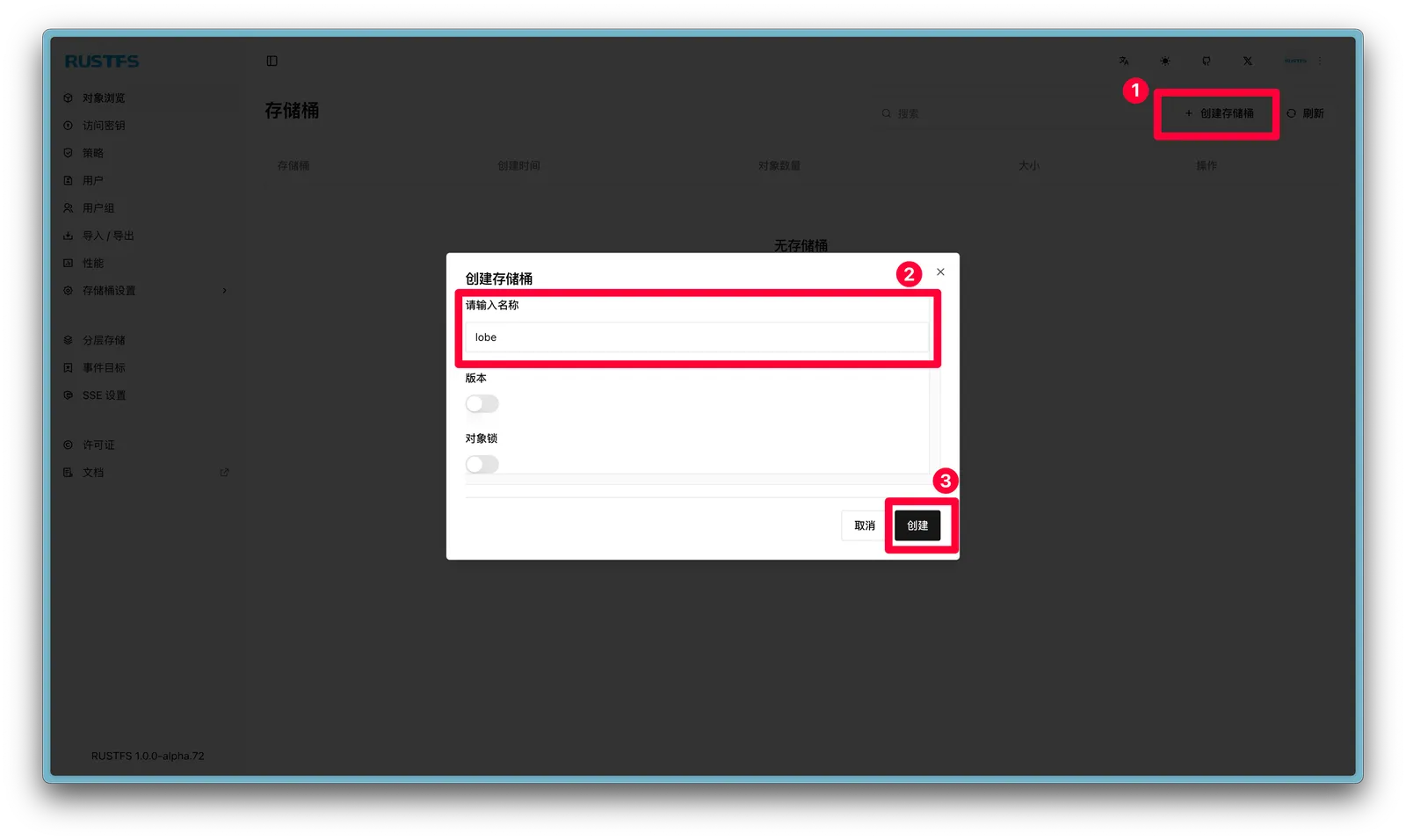
Go to the bucket and click Settings, choose Custom for the policy, and paste the following JSON to make the bucket public-read/private-write:

Save the settings to apply the policy.
Configure Access Keys
You can reuse the RUSTFS_ACCESS_KEY and RUSTFS_SECRET_KEY defined in the docker-compose.yml, but for better security we recommend creating a dedicated access key.
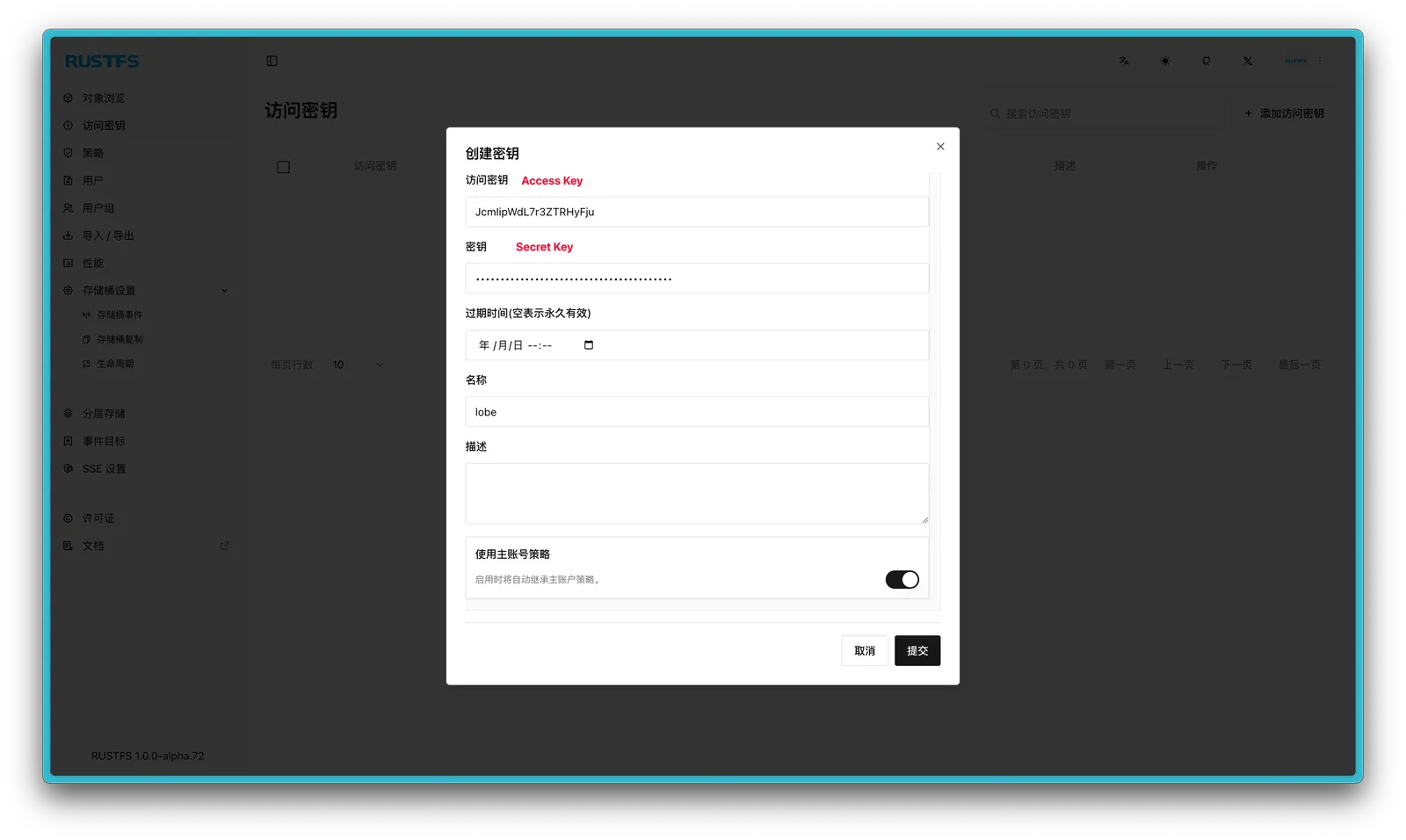
Click Access Key in the left sidebar, then Add Access Key to create a new key. The name is arbitrary, and you can keep the default main-account policy.
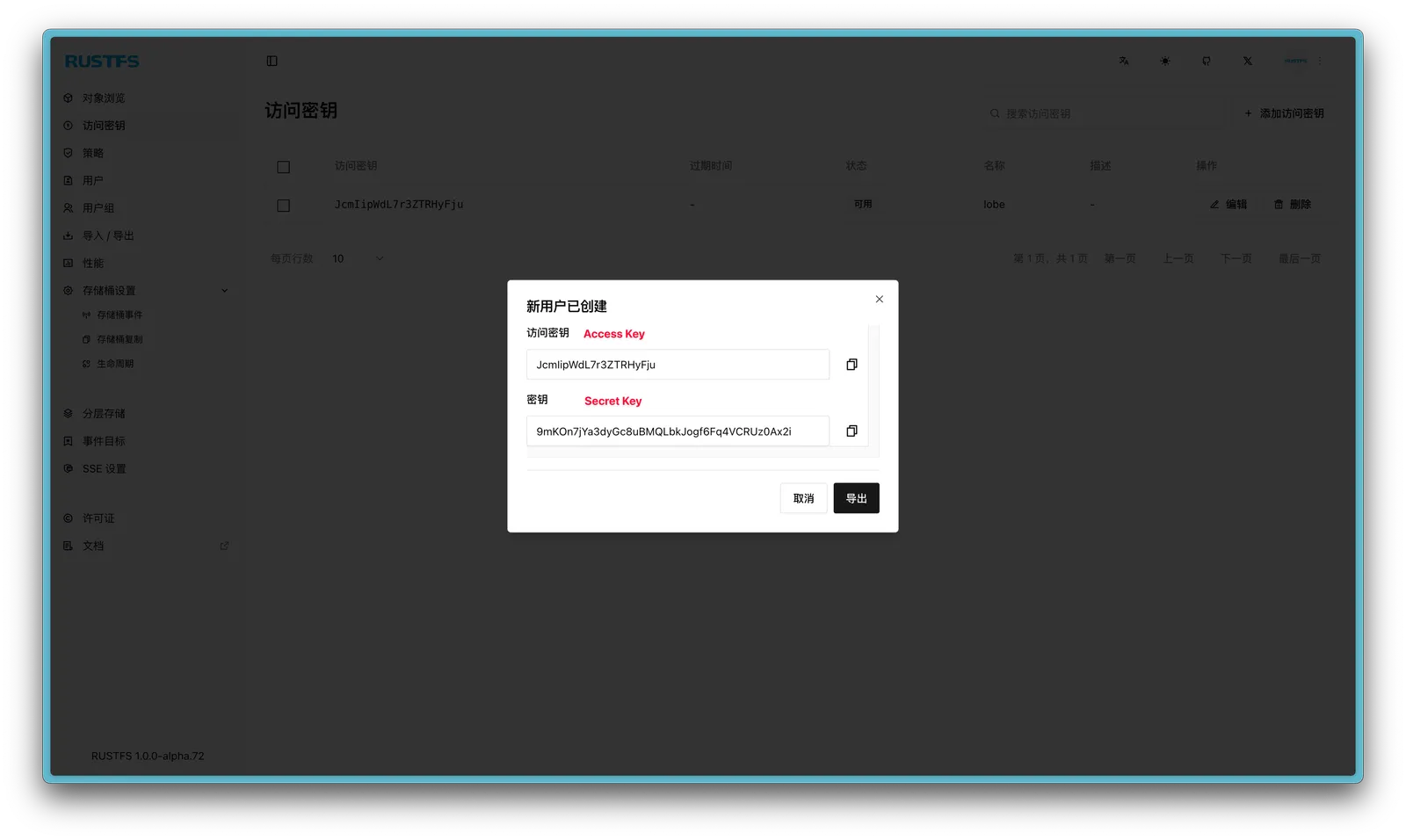
Copy the generated Access Key and Secret Key (the Export button lets you save the JSON locally). The English labels in the UI are confusing, but remember the shorter string is the Access Key and the longer string is the Secret Key (the exported JSON is correct).
Configure Reverse Proxy
You also need reverse-proxy rules so that RustFS is accessible from the LAN/public internet. Map the following ports to domains:
| Domain | Port | Required |
|---|---|---|
lobe-s3-api.example.com | 9000 | Yes |
lobe-s3-ui.example.com | 9001 |
After completing the reverse proxy, remember to configure the corresponding SSL certificate and enable HTTPS access.
Set Environment Variables
Update the LobeHub .env file with the following environment variables to use RustFS as the S3 backend: