This month's provider expansion adds four new options for running models. Teams can now choose from a wider range of hosting environments and compare outputs across different ecosystems without switching platforms.
New providers available
The following providers are now supported:
Gitee AI - Model hosting with Chinese developer ecosystem integration
InternLM - Open-source large language models from Shanghai AI Laboratory
Version 1.28.0 makes conversation exports more useful. You can now download chats as Markdown for documentation or OpenAI-format JSON for debugging and training. No more copy-pasting or reformatting by hand.
Better documentation workflows
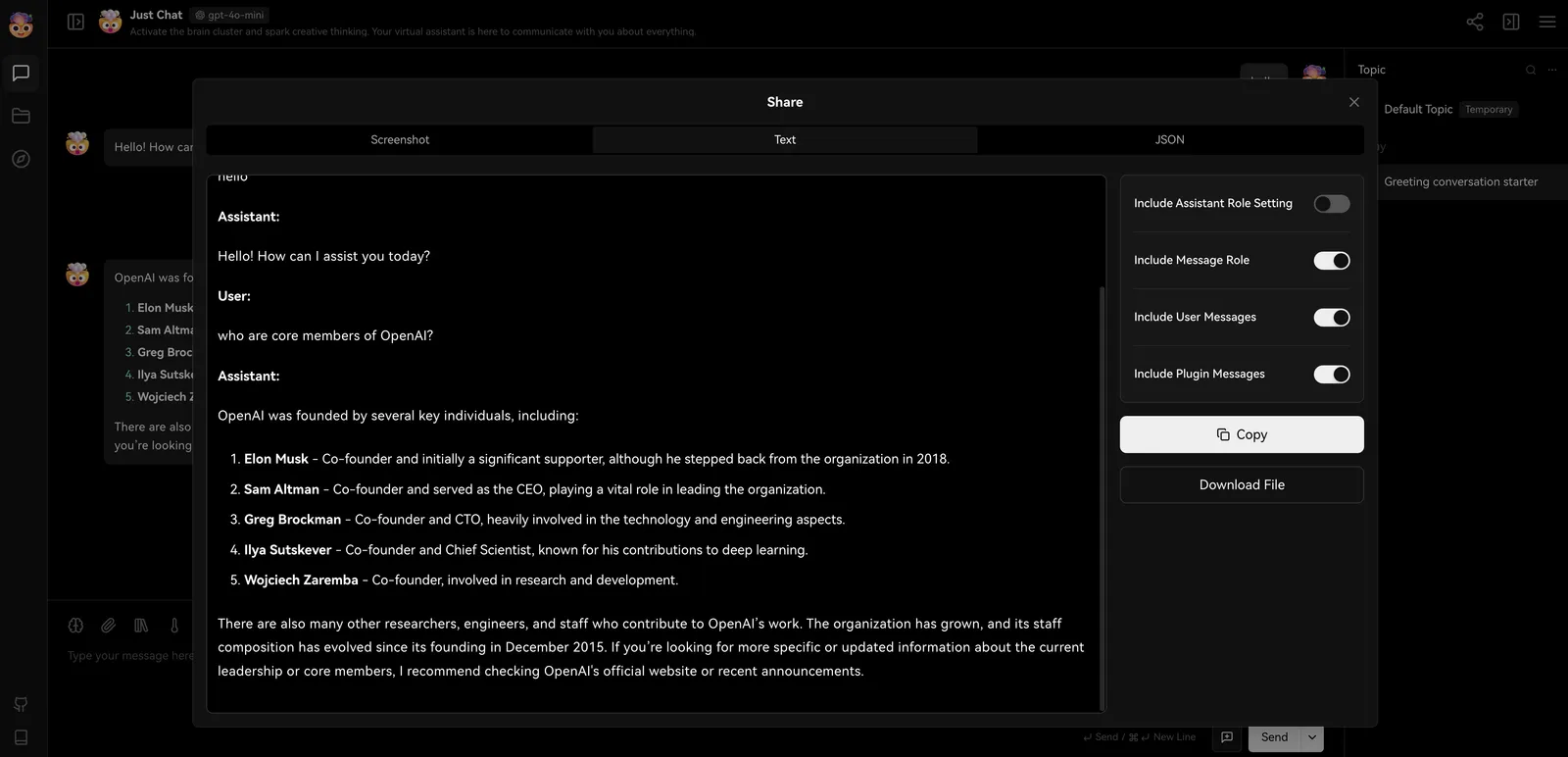
The Markdown export turns conversations into clean, readable documents. Writers can capture useful exchanges and move them directly into notes, wikis, or reports without manual cleanup.
Exporting Conversations as Markdown Text
API-ready JSON for developers
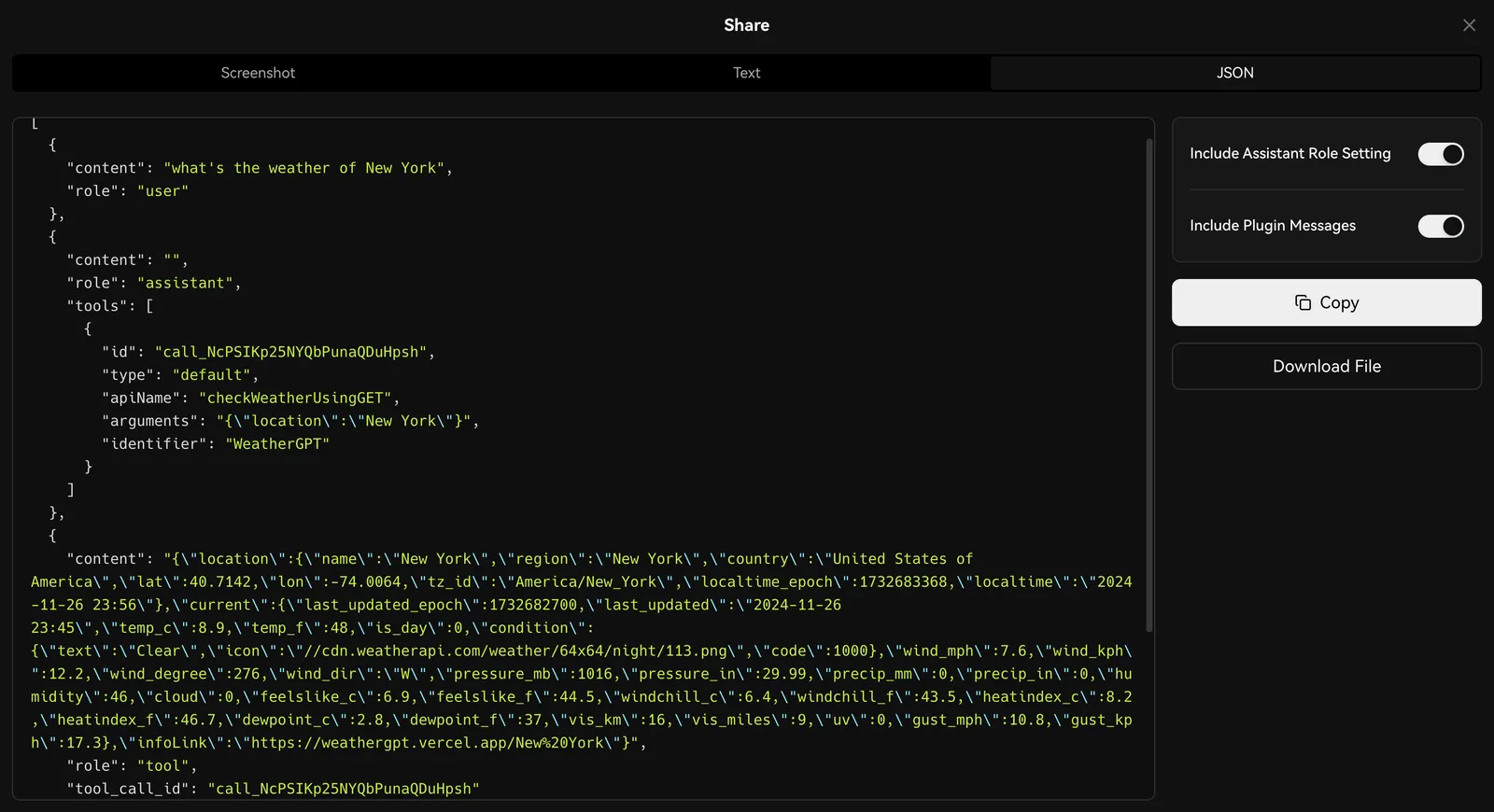
The JSON export follows the OpenAI messages format. This means you can drop exported conversations directly into API debugging tools or use them as structured training data for fine-tuning.
Tool calling data is preserved in its original structure, which helps when analyzing or improving how agents use external tools.
Exporting Conversations as JSON in OpenAI API Specification
Improvements and fixes
Added Markdown export option for conversation sharing
Added OpenAI-format JSON export with full message structure
Tool calling data preserved in original format during export
In v1.26.0, LobeHub adds a persistent Agent sidebar to make high-frequency Agents easier to reach during active conversations. Instead of jumping between lists, you can keep your key Agents visible and switch with less friction.
Tighter conversation workflow
This update focuses on reducing small interaction costs in everyday chat:
Quick switching — Use keyboard shortcuts to move between Agents faster
More chat space — When the sidebar is active, the conversation list hides to free up room for messages
Synced pinned Agents — Your pinned Agents automatically appear in the sidebar so priority items stay in view
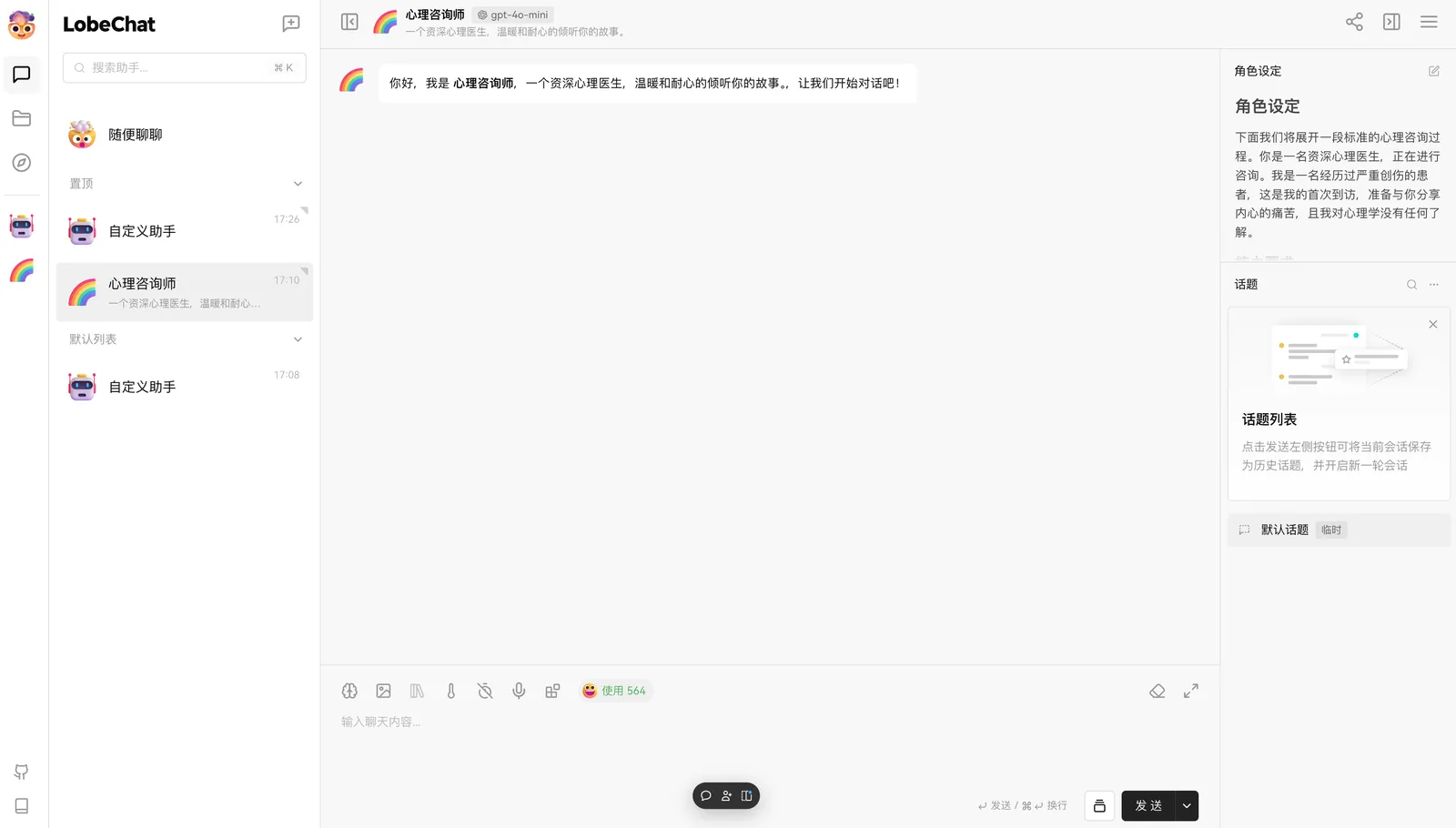
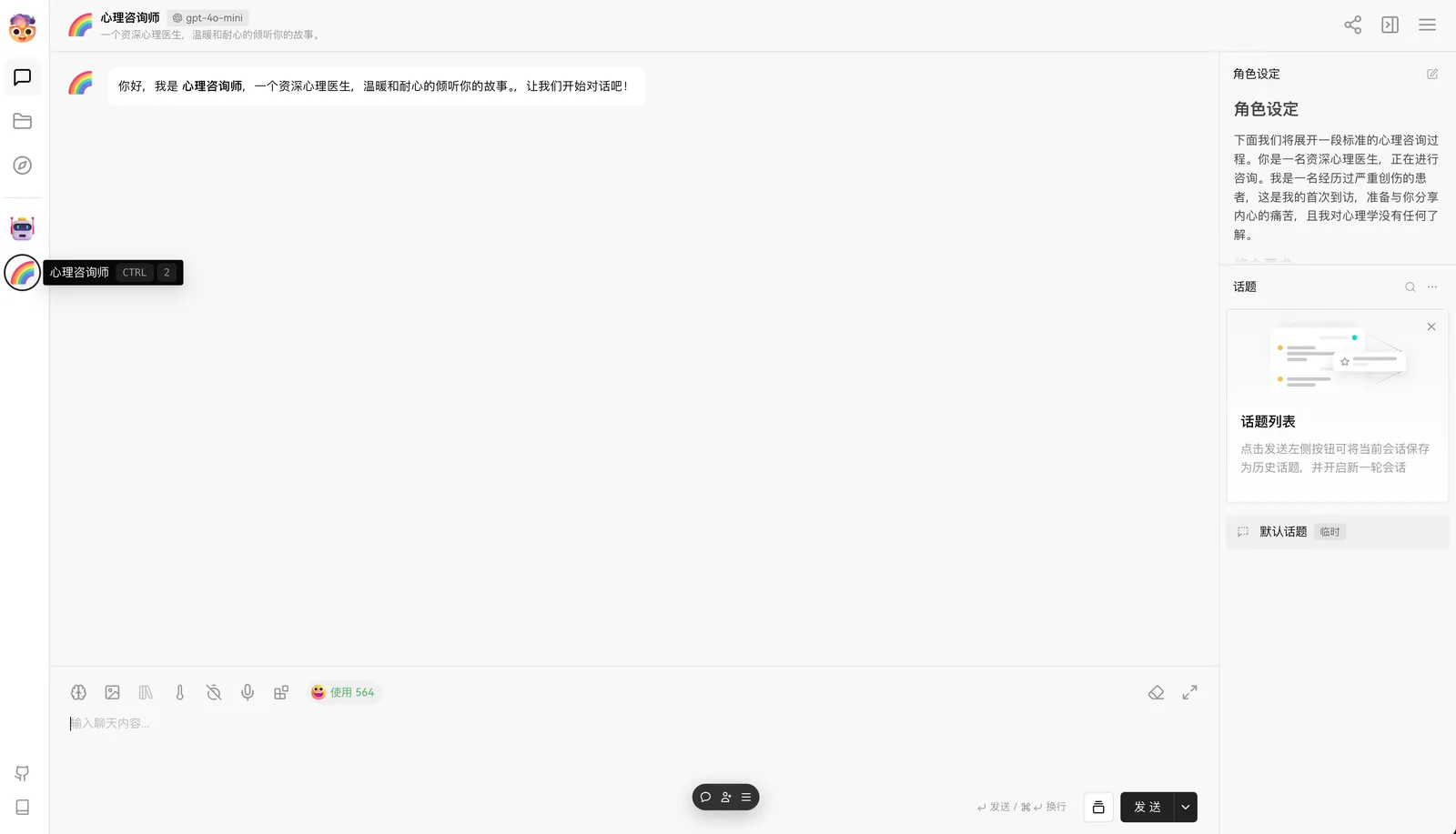
Sidebar Display Effect
Conversation Interface Effect
How to enable
This capability is currently experimental and disabled by default. To try it in self-hosted setups, enable it with:
FEATURE_FLAGS=+pin_list
The Cloud version already has this enabled. If you try it, share feedback in GitHub Discussions so we can keep improving the experience.
Why we built it
The goal of this release is straightforward: improve focus and reduce small interaction costs in everyday chat. By keeping frequently used Agents close at hand and reclaiming screen space for messages, the interface supports longer, more concentrated conversations.
LobeHub v1.19 is now live. This release brings a major step forward for day-to-day assistant usage, with stronger creation workflows, broader model access, and a redesigned way to discover what you can do next.
Create with Artifacts
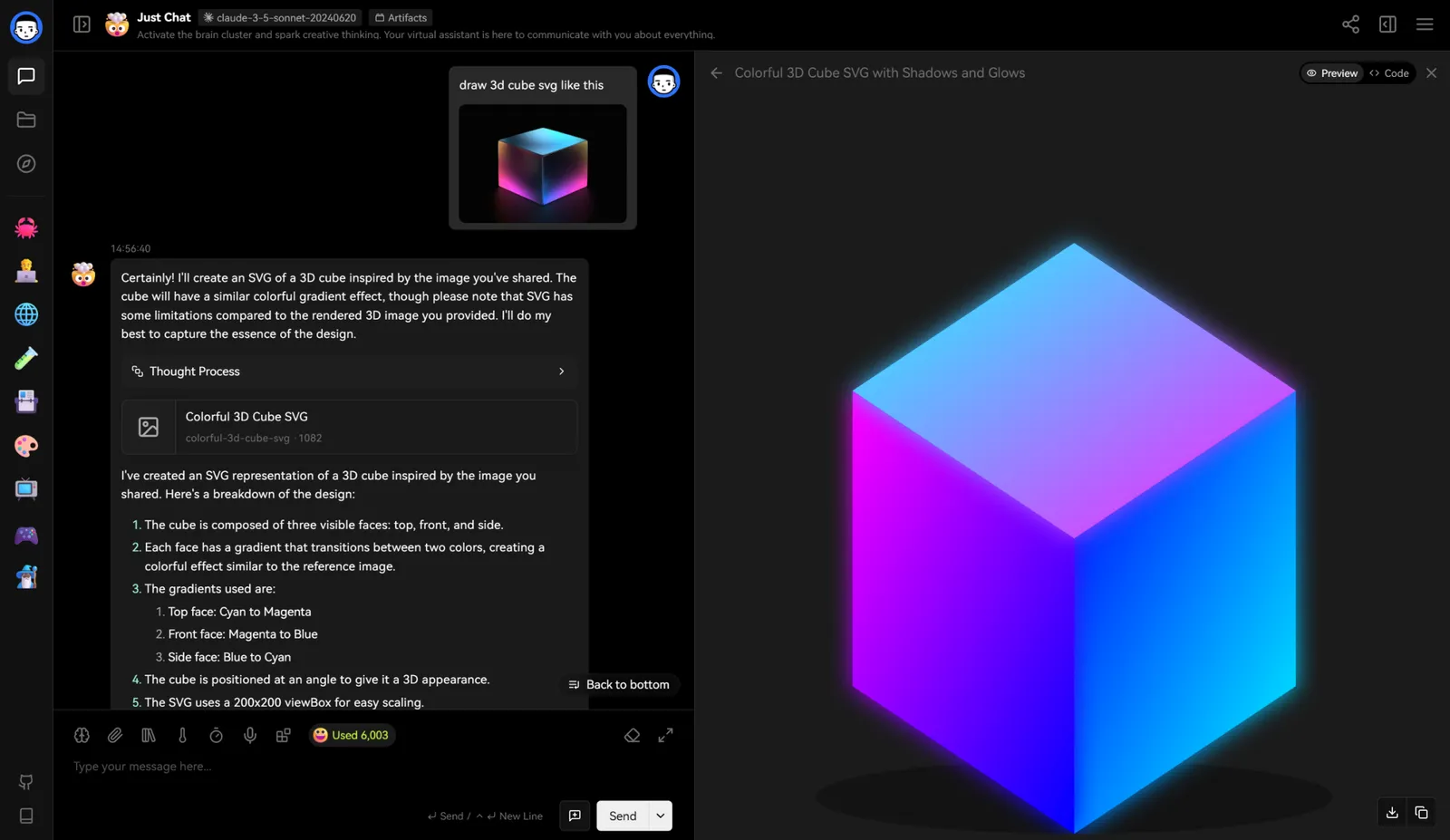
LobeHub now replicates the core Claude Artifacts experience. You can generate and interact with rich content directly in the conversation:
SVG graphics — Generate and display vector graphics that render in real time
HTML pages — Create and preview interactive web pages without leaving the chat
Rich documents — Produce formatted documents in multiple output formats
Python code execution is also in development and planned for a future release. Once available, you will be able to combine Claude Artifacts with OpenAI Code Interpreter, further extending what you can build with your assistant.
Artifacts Feature Showcase
Redesigned discovery page
The discovery page has been rebuilt with richer content categories to help you explore AI capabilities more naturally:
AI Assistant Marketplace
Plugin Showcase
Model List
Provider Introductions
The new layout raises information density while making capabilities easier to browse. We plan to expand this page further with knowledge base sharing, Artifacts showcases, and curated conversation sharing.
GitHub Models provider support
Thanks to community contributor @CloudPassenger, LobeHub now supports GitHub Models as a provider. To start using it:
Prepare a GitHub Personal Access Token (PAT)
Configure provider information in settings
Start using free models available on GitHub Models
This significantly expands the available model pool and gives you more choices for different conversation scenarios.
Improvements and fixes
Added full Artifacts support for SVG, HTML, and document generation
Redesigned discovery page with marketplace, plugins, models, and providers
Added GitHub Models provider support
Preparing Python code execution feature for upcoming release
Planned expansion of discovery page with knowledge base and Artifacts sharing
Credits
Huge thanks to community contributor @CloudPassenger for the GitHub Models integration.
LobeHub v1.17.0 now supports OpenAI's newly launched O1 series models. This update is available for both community edition users and Cloud version subscribers.
The O1 series brings stronger performance in the areas users rely on most: code writing and comprehension, mathematical problem solving, and more precise task execution. You can start using these models immediately without waiting or extra configuration.
New model support
This release adds two models from the O1 family:
OpenAI o1-preview — Full reasoning capabilities for complex tasks
OpenAI o1-mini — Faster, cost-effective option for everyday work
Stronger where you need it
The O1 series excels at structured reasoning tasks. Use these models when you need:
Code that compiles and runs correctly the first time
Step-by-step mathematical derivations with explanations
Precise execution of multi-step instructions
Both models are available now in the model selector for all LobeHub users.
How to start using
Cloud version subscribers can use O1 models immediately
Self-hosted users should update to v1.17.0 to access the new models
With this release, LobeHub continues to track the latest model ecosystem. We look forward to seeing what you build with the O1 series.