LobeHub
LobeHub

Changelog

Track new features, fixes, and improvements in LobeHub.

Delivery Checks & Audio Messages

Delivery Checks & Audio Messages

Features

  • Delivery checks for tasks. Add checks to a task and a Delivery Checker reviews the result before it's delivered. A failed check can hold the result back and start a repair round, and you get a verification report with the verdict, score, and the evidence behind each check.
  • Send audio to an agent. Attach an audio file such as an MP3, and audio-capable models like Gemini can listen to it. Audio messages now play inline with a waveform player.
  • Turn a document into a skill. A new "Convert to skill" action in the document explorer turns any agent document into a reusable skill in place.
  • Self-update the CLI. Run lh update to upgrade the LobeHub CLI to the latest version, and use file upload to send local files.

v2.2.6 ~ v2.2.5

Browser Pairing & Live Run Status

Browser Pairing & Live Run Status

Features

  • Pair a device from your browser. The Devices page adds a "Via Browser" option: generate a pairing code, exchange it, and the current browser tab becomes a device an agent can run on, with no desktop app required.
  • Browse a connected device from chat. Approved local files open in read-only preview tabs, including HTML rendered inline, even when a file sits outside the current workspace. Agents can list a device's Git worktrees, the branch switcher gained rename and delete actions, and project skills from the device appear in the working sidebar.
  • Live run status. A status tray sits above the chat input while an agent works, showing elapsed time, total tokens, and cost for the current run, along with the cache hit rate.
  • New models and providers. AntGroup and SenseNova (6.7 Flash Lite and U1 Fast) join as new providers, along with updated Longcat models that fetch their list live. Model cards now show each model's knowledge cutoff, and the model tab bar stays visible.

v2.2.4 ~ v2.2.3

Connectors & Connect Agents

Connectors & Connect Agents

Features

  • Connectors. All of an agent's tools (MCP servers, Skill Market skills, built-in tools, and third-party integrations) now sit under one permission layer. For each tool you choose whether it runs freely, pauses for your approval, or stays off. Read-only actions like fetching or listing are detected automatically, so they aren't blocked by mistake.
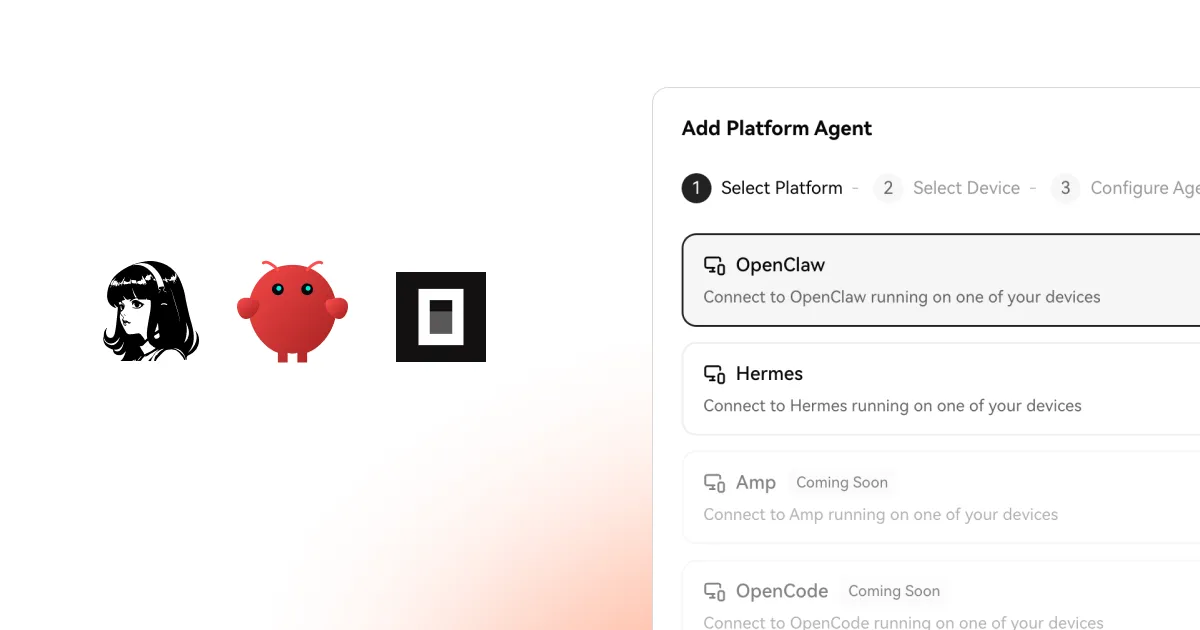
  • Connect Agents. What you used to create as a "Platform Agent" is now a Connect Agent: a third-party agent that runs on your own device rather than on LobeHub. The execution-device switcher appears for every agent, so you can point any conversation at a specific machine. Agents can call MCP tools through your device with results shown inline, and server-run agents scan the project folder you bind them to, picking up .agents/skills, .claude/skills, and your AGENTS.md / CLAUDE.md.
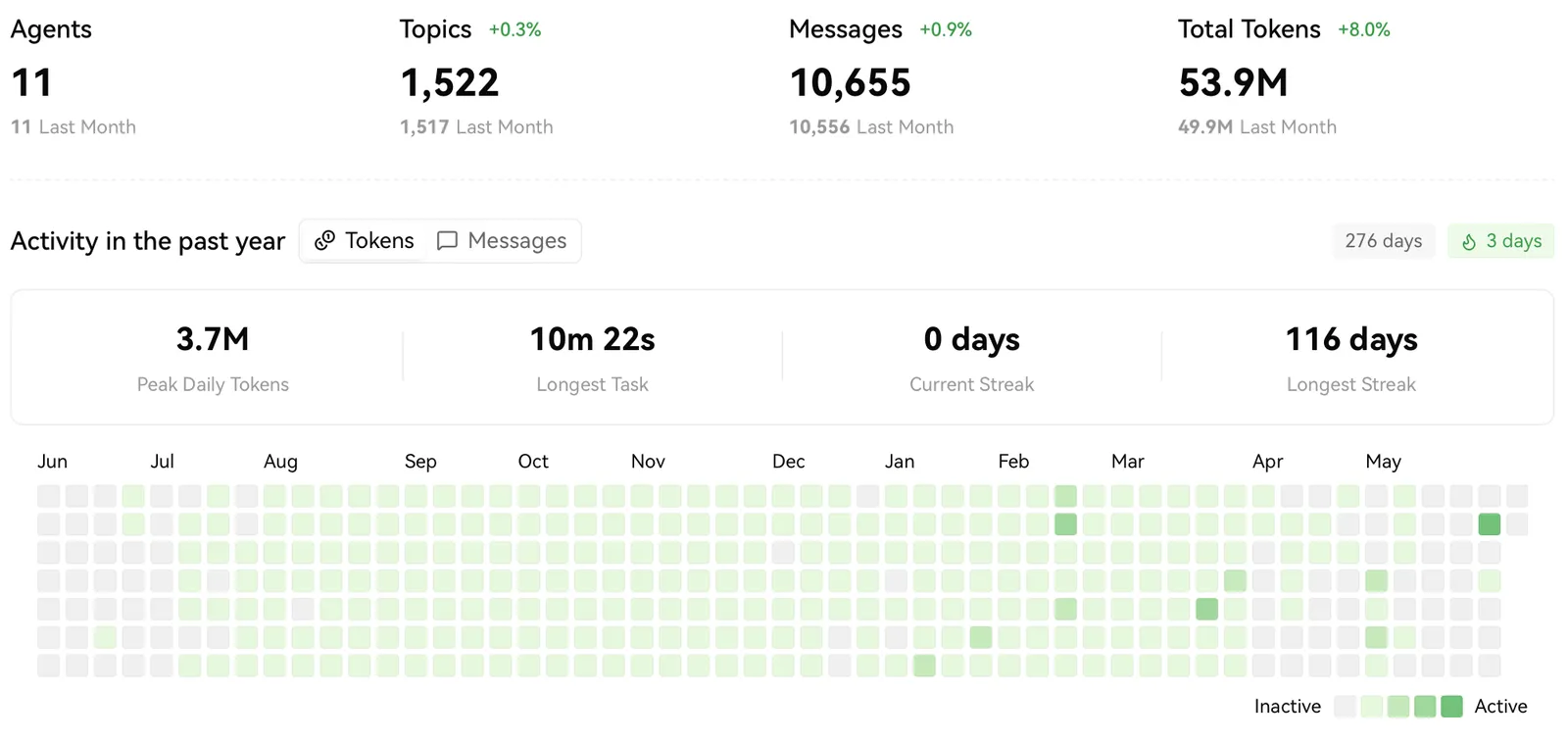
  • Token usage in the heatmap. The activity heatmap added a token-usage mode, so you can switch from how often you chatted to how much each day cost without leaving the page.
  • New model: MiniMax M3, including its video runtime.
  • Configurable model routing and starters, for finer control over which model handles what.

v2.2.2

Platform Agents & Drag-Drop Skills

Platform Agents & Drag-Drop Skills

Features

  • Platform agents, local or remote (beta). Create platform agents like OpenClaw and Hermes and choose, right from the composer, whether they run on your own machine or a remote device. A device switcher in the chat input swaps targets without leaving the conversation, and registered devices are remembered. On desktop, the recent-directories list can be reordered by drag-and-drop, and devices auto-register with a stable ID. Platform agents are in beta; turn them on under Settings → Advanced → Labs.
  • Drag-and-drop skills and folders. Drag a skill from the right panel into the message box and it becomes an action tag. Type / mid-sentence to open a menu of every installed skill, from built-ins to Skill Market skills to your own agents'. On desktop, drag a whole folder into chat and it appears as a @localFile reference instead of uploading every file inside.
  • Bots that send files. Discord, Telegram, Slack, Feishu, WeChat, LINE, and QQ can now exchange images, video, voice, and files, not just text.
  • Page Agent sharing. Share an agent's working pages with one click.
  • Export an agent. Download any agent's profile as a Markdown file.
  • New models. Claude Opus 4.8, DeepSeek V4 Flash/Pro, Gemini 3.5 Flash, Qwen 3.7 Max, intern-s2-preview, and step-3.7-flash.

v2.2.1 ~ v2.2.0

Introducing CAO: Your Chief Agent Operator

Introducing CAO: Your Chief Agent Operator

Features

  • CAO (Chief Agent Operator). Your agent can now keep going on its own. It reviews its own work, decides the next step, and continues without waiting for you to say "next." When a decision genuinely needs you, it pauses, tells you what it tried, and asks a clear question. For larger tasks, it can put together a small team of sub-agents and hand off parts of the work while the main agent stays in charge of the plan. You can open any sub-agent's conversation to see its progress. Learn more about CAO →
  • Project skills in the working sidebar, with a built-in Markdown preview.
  • Per-suggestion models. Pick a different model for each kind of follow-up suggestion.
  • New model: Baidu Ernie 5.1.

v2.2.0 ~ v2.1.58
LobeHub

Super-Agents on Your Team

Bring Super-Agents onto your team, starting today.