LobeHub
LobeHub

Changelog

Track new features, fixes, and improvements in LobeHub.

Authentication That Adapts to Your Stack
Authentication That Adapts to Your Stack

Every product needs reliable sign-in, but not every team has the same requirements. Some need to get up and running quickly with social logins. Others need enterprise-grade controls from day one. LobeHub now supports both paths by integrating with next-auth and Clerk.

This gives teams the freedom to start simple and upgrade security when the time is right—without rethinking their entire auth architecture.

Next-Auth: Start Fast, Stay Flexible

Next-Auth provides a straightforward authentication layer for teams that want to ship quickly. It handles the essentials: OAuth from major providers, email-based login, and credential-based flows, all without managing a separate user service.

Use this when you need:

  • Quick setup with social providers like GitHub or Google
  • Session management that just works
  • Full control over the sign-in UI and flow
  • Privacy-friendly auth that keeps user data in your infrastructure

Clerk: Enterprise-Ready Identity

When you need more than sign-in—multi-factor authentication, user profiles, and login activity monitoring—Clerk provides those capabilities out of the box. It's a managed identity platform that scales with your product.

Switch to Clerk when you need:

  • MFA for sensitive accounts or compliance requirements
  • Built-in user profile and account management UI
  • Real-time login activity tracking
  • Scalable identity infrastructure without operational overhead

Improvements and fixes

  • Added support for next-auth v5 beta with improved session handling
  • Fixed redirect loop issues when using custom sign-in pages
  • Improved error messages for failed OAuth connections
v0.125.0 ~ v0.118.1

Support for Text-to-Image Generation

Text-to-Image: Create Visuals Directly in Chat

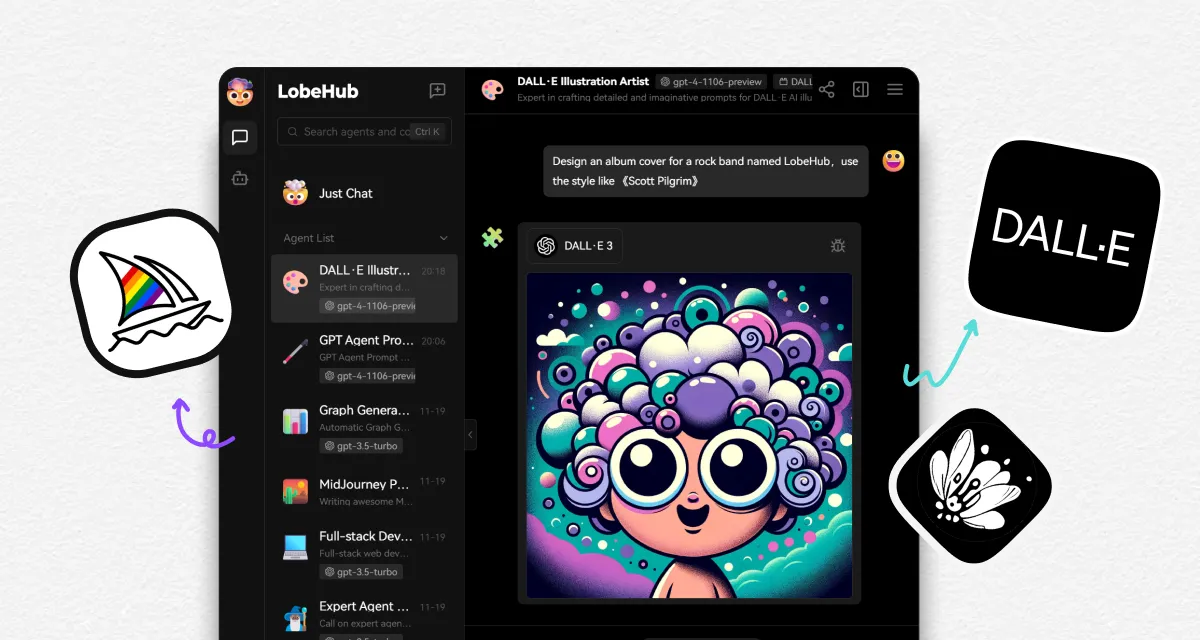
LobeHub now supports text-to-image generation, so you can create images directly while chatting with your Agents. With tools like DALL-E 3, MidJourney, and Pollinations, your Agents can turn your descriptions into visuals within the same conversation flow.

Creative workflow without switching tools

Previously, generating AI images meant leaving your conversation, opening a separate tool, writing a prompt, waiting for results, then copying the image back. Now you simply describe what you want, and your Agent produces the image right there in the chat.

This keeps creative momentum flowing. Iterate on ideas quickly—request adjustments, explore variations, or refine descriptions—all without context switching. The conversation history maintains your creative direction, so you can reference previous ideas and build on them.

Private and immersive creation

Image generation happens within your existing conversation, keeping your creative process contained and private. No need to manage separate accounts or jump between platforms. Your prompts, iterations, and final images stay in one place, organized alongside the rest of your discussion.

Multiple generation options

Different tools excel at different styles. DALL-E 3 offers detailed, precise renders. MidJourney produces artistic, atmospheric results. Pollinations provides fast, accessible generation. Your Agent can help you choose and use the right tool for each creative task.

v0.118.0 ~ v0.102.1

Supporting TTS & STT Voice Conversations

Voice Conversations: Talk Naturally With Your Agents

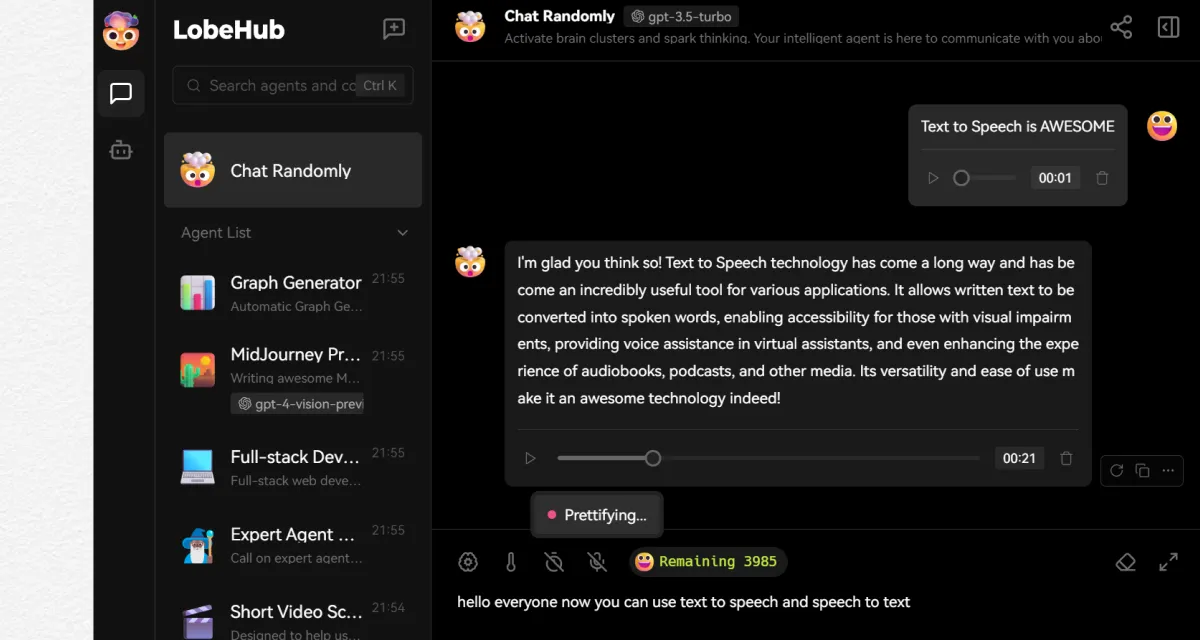
LobeHub now supports Text-to-Speech (TTS) and Speech-to-Text (STT), turning typed conversations into natural voice interactions. You can speak with your Agents and hear their responses, making the experience closer to talking with a real person.

Natural voice interaction

With TTS, your Agents can read responses aloud in clear, natural-sounding voices. With STT, you can dictate messages instead of typing. Together, they enable hands-free interaction—useful when you're multitasking, on the move, or simply prefer speaking to typing.

This is especially helpful for:

  • Auditory learners who process information better by hearing
  • Users who want to stay productive while commuting or away from a keyboard
  • Anyone who finds voice more accessible or convenient than text

Personalized voice selection

Different Agents can have different voices. Choose a voice that matches each Agent's personality or purpose. A professional assistant might use a calm, measured tone. A creative collaborator might sound more expressive.

We've curated high-quality voices from OpenAI Audio and Microsoft Edge Speech to serve users across regions and preferences. Select the voice that fits your usage style or scenario.

A complete communication loop

Voice support closes the gap between human and AI interaction styles. Speak naturally, hear responses aloud, and maintain context just like you would in a spoken conversation. The rest of LobeHub's features—plugins, multimodal support, context management—work seamlessly alongside voice mode.

v0.102.0 ~ v0.101.1

Supported Models for Visual Recognition

Visual Recognition: Chat With Images, Not Just Text

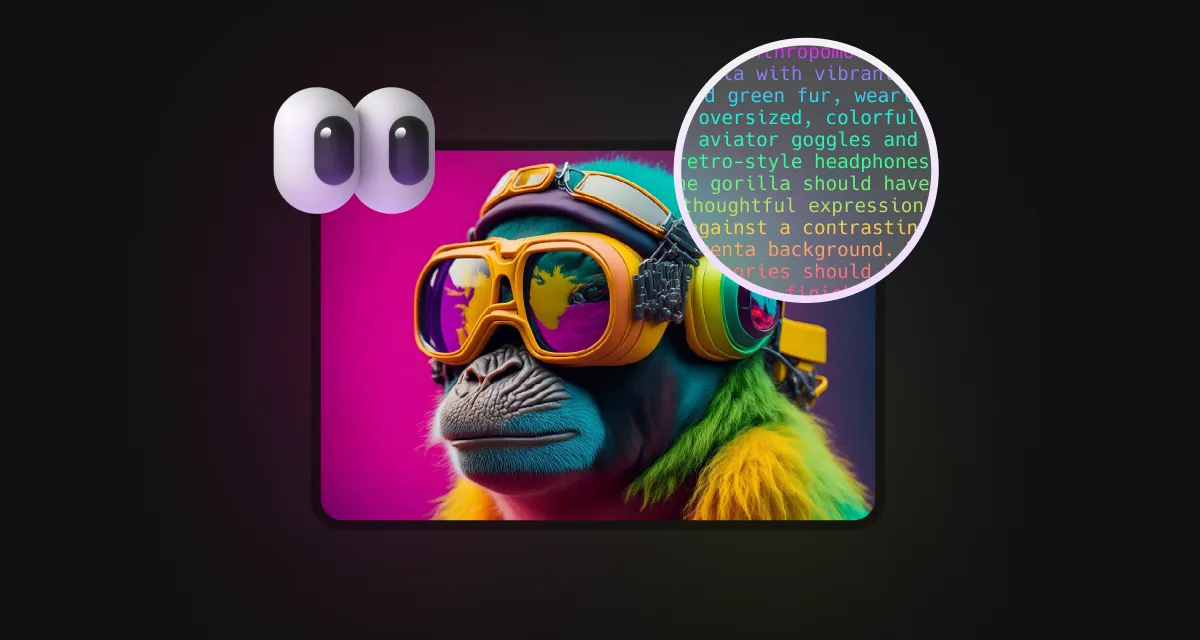
Conversations in LobeHub are no longer limited to text. We now support several large language models with visual recognition capabilities, including OpenAI's gpt-4-vision, Google Gemini Pro Vision, and Zhiyuan GLM-4 Vision.

Share images naturally

Upload an image or drag it directly into the chat window, and your Agent can understand the visual content and continue the discussion in context. This works for screenshots, photos, diagrams, or any visual reference you need to share.

This brings a more natural multimodal experience to both everyday and professional scenarios:

  • Share photos from your day and discuss them
  • Upload UI screenshots for design feedback
  • Share diagrams and get explanations
  • Reference visual content without describing it in words

Context-aware visual understanding

The assistant doesn't just see the image—it understands it within the ongoing conversation. Ask follow-up questions about specific details, compare multiple images, or use visuals as reference material for complex discussions.

For specialized fields, this means clearer context and more practical responses. Medical imaging discussions, architectural reviews, or technical diagram analysis all become more natural when both parties can see the same visual reference.

Voice options for personalized interaction

To better serve users across regions and preferences, we've also added quality voice options from OpenAI Audio and Microsoft Edge Speech. Choose a voice that fits your style or scenario for more personalized interactions.

v0.101.0 ~ v0.90.0

Supported Plugin System

Plugin System: Extend Your Agents with Community Skills

LobeHub now supports plugins that extend what your Agents can do. Instead of being limited to built-in capabilities, Agents can now pull live data, interact with external platforms, and handle specialized workflows through community-built extensions.

0:00 / 0:00

Access real-time information

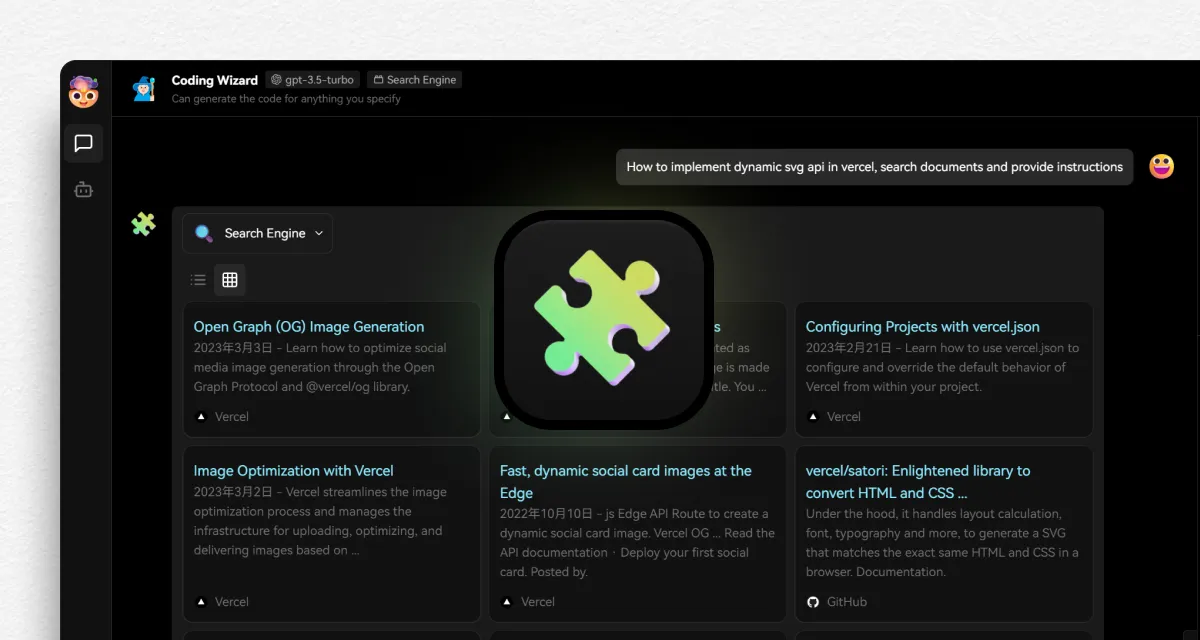
Previously, conversations were limited to the knowledge cutoff of the underlying model. Now, with plugins like web search, your Agents can fetch current information—news, documentation, stock prices, or weather—right when you need it.

Use plugins to:

  • Run web searches and get up-to-date answers
  • Query documentation sites and technical references
  • Retrieve platform data from services like Bilibili or Steam
  • Generate images on demand during a conversation

Community-powered flexibility

The plugin system is designed to grow with community contributions. Developers can build and share custom plugins that add new capabilities to any Agent. Users simply enable the plugins they need for their specific workflow.

This means your Agents become more specialized over time. A coding assistant might enable documentation search and code execution plugins. A creative assistant might use image generation and content research tools. The same underlying Agent adapts to different contexts through its enabled plugins.

Voice options for natural interaction

Alongside plugin capabilities, LobeHub now offers quality voice synthesis options including OpenAI Audio and Microsoft Edge Speech. Choose a voice that matches your preference or scenario for more personalized interactions.

Learn more about plugin usage in our documentation.

v0.72.0 ~ v0.67.0
LobeHub

Super-Agents on Your Team

Bring Super-Agents onto your team, starting today.