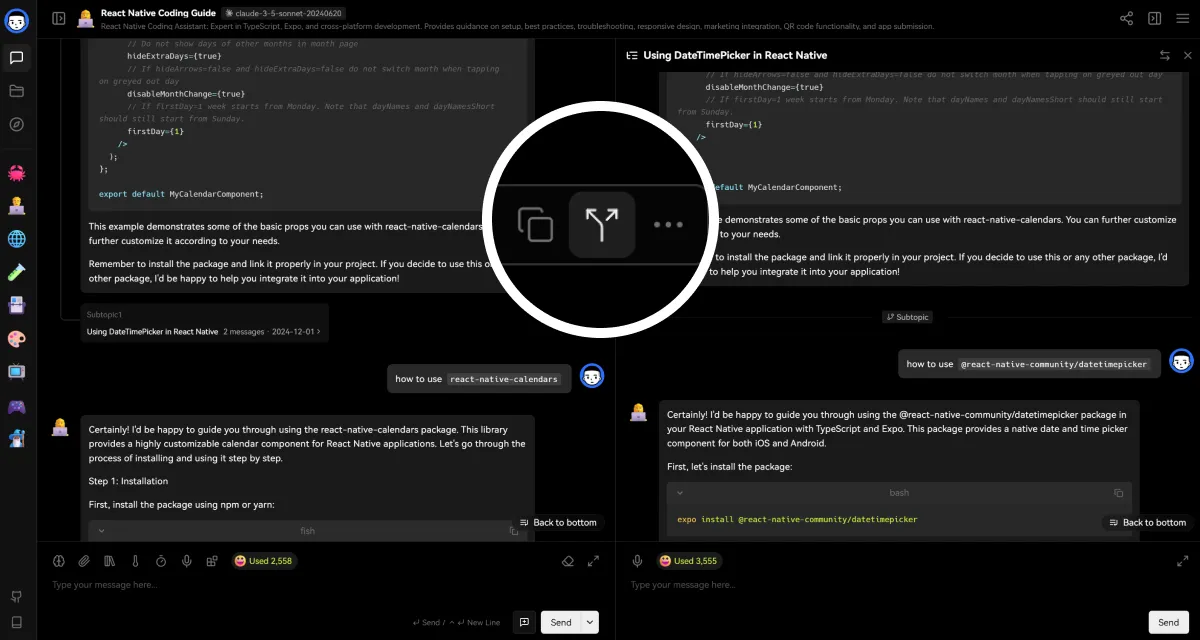
Conversations rarely stay linear. You follow a tangent, want to test a different approach, or need to split the thread for different audiences. Now you can create a branch from any message and explore alternative paths without losing the original flow.
Two ways to branch
When you create a branch, choose how to handle context:
- Continuation mode: Keep the full conversation history and continue from that point. Useful when you want to explore "what if" scenarios while preserving context.
- Standalone mode: Start fresh from the selected message. Good for extracting a clean sub-conversation or preparing a focused excerpt to share.
How it works
Click the branch button on any message to start a new thread. The original conversation stays intact while you explore the new direction. Switch between branches from the topic sidebar to compare outcomes or continue whichever path proves most useful.
Feedback
Have ideas for improving conversation branching? Share them in GitHub Discussions.
Version details
Features
- v1.34.0Forkable Chat Mode.